Expanded Electronic Signature Timestamp
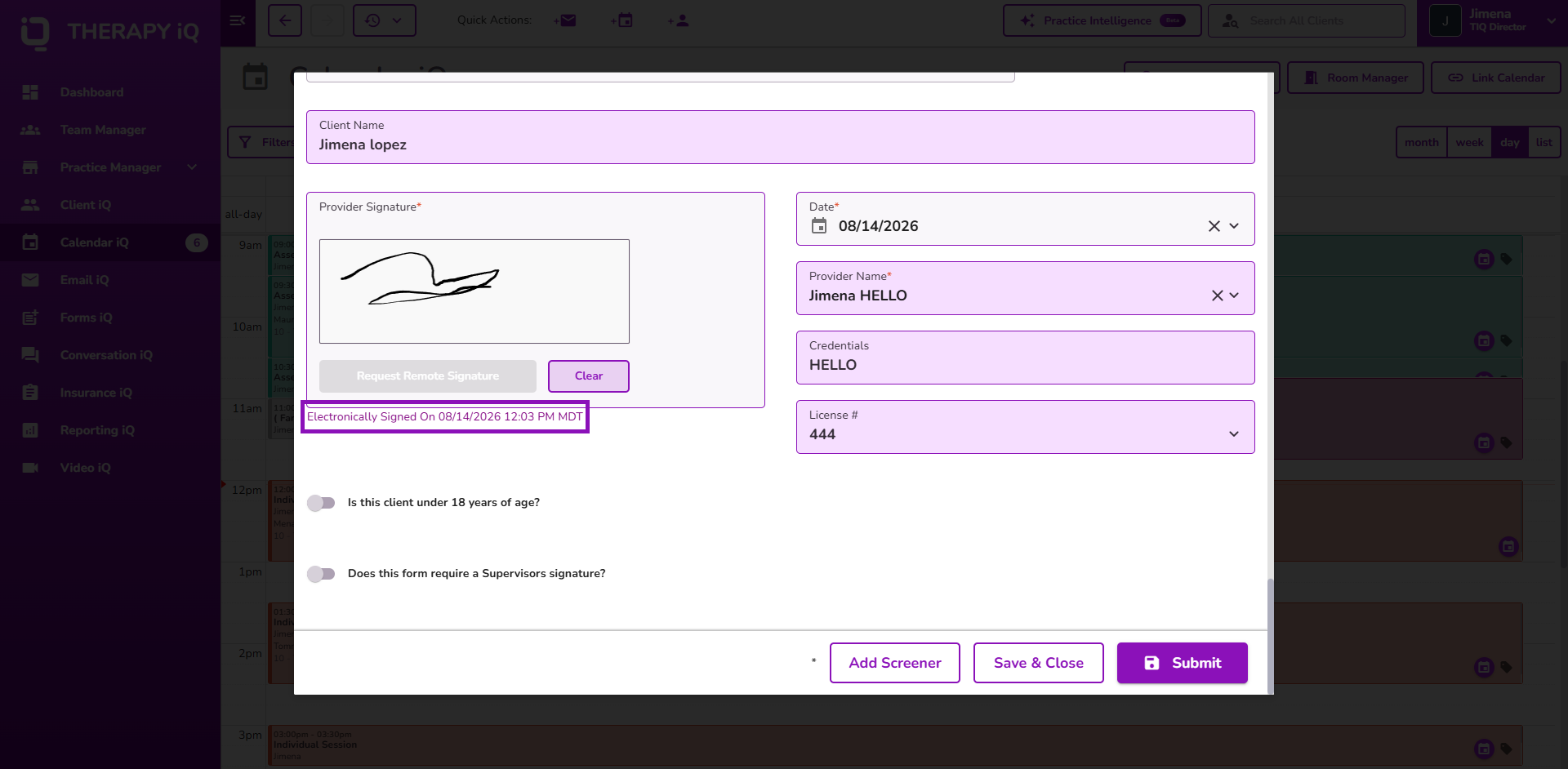
Electronic signature timestamps have been expanded to Treatment Review and Discharge Report, making it easier to verify when documentation was electronically signed across additional billable forms.
Signature timestamps now also display using the time zone configured on the signing provider's profile, ensuring each provider's signature reflects the correct local time.
👉 Learn more about electronic signature timestamps.
Client Statement Enhancements
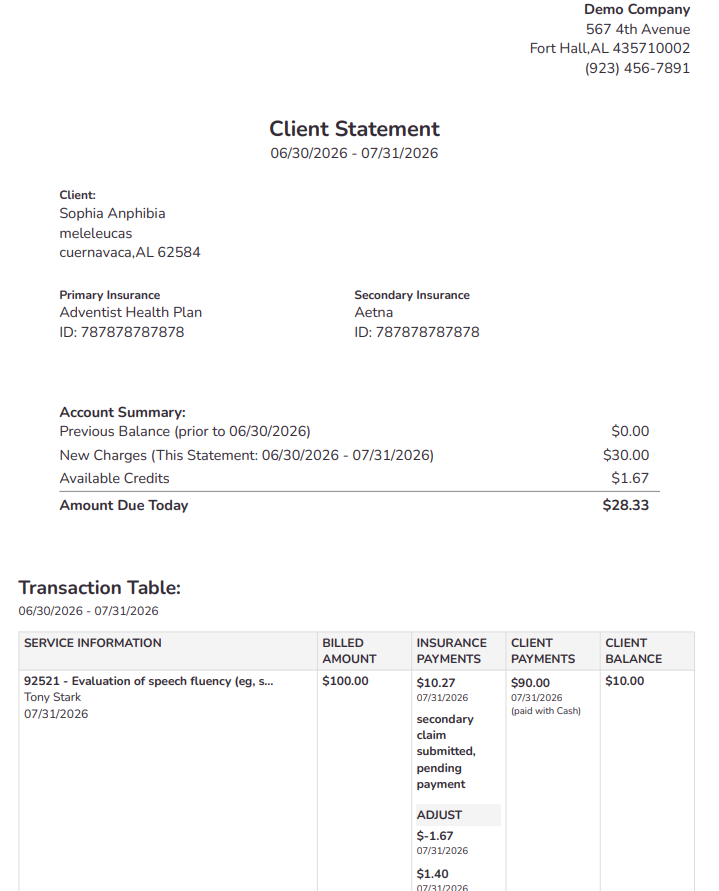
Client Statements have been enhanced with clearer insurance status information, an updated PDF layout, and a new Account Summary section.
The INS. PAID column now displays clearer statuses for primary and secondary claims, including claims pending submission and claims submitted but awaiting payment.
The statement layout has also been updated by removing duplicate provider information and the client's phone number, while displaying Primary and Secondary Insurance side by side when applicable.
A new Account Summary provides a high-level view of the client's financial responsibility, including Previous Balance, New Charges, Available Credits, and Amount Due Today. Insurance responsibility is excluded from the client's amount due calculation.
👉 Learn more about Client Statements.
Provider Credentials in Billable Form Signatures
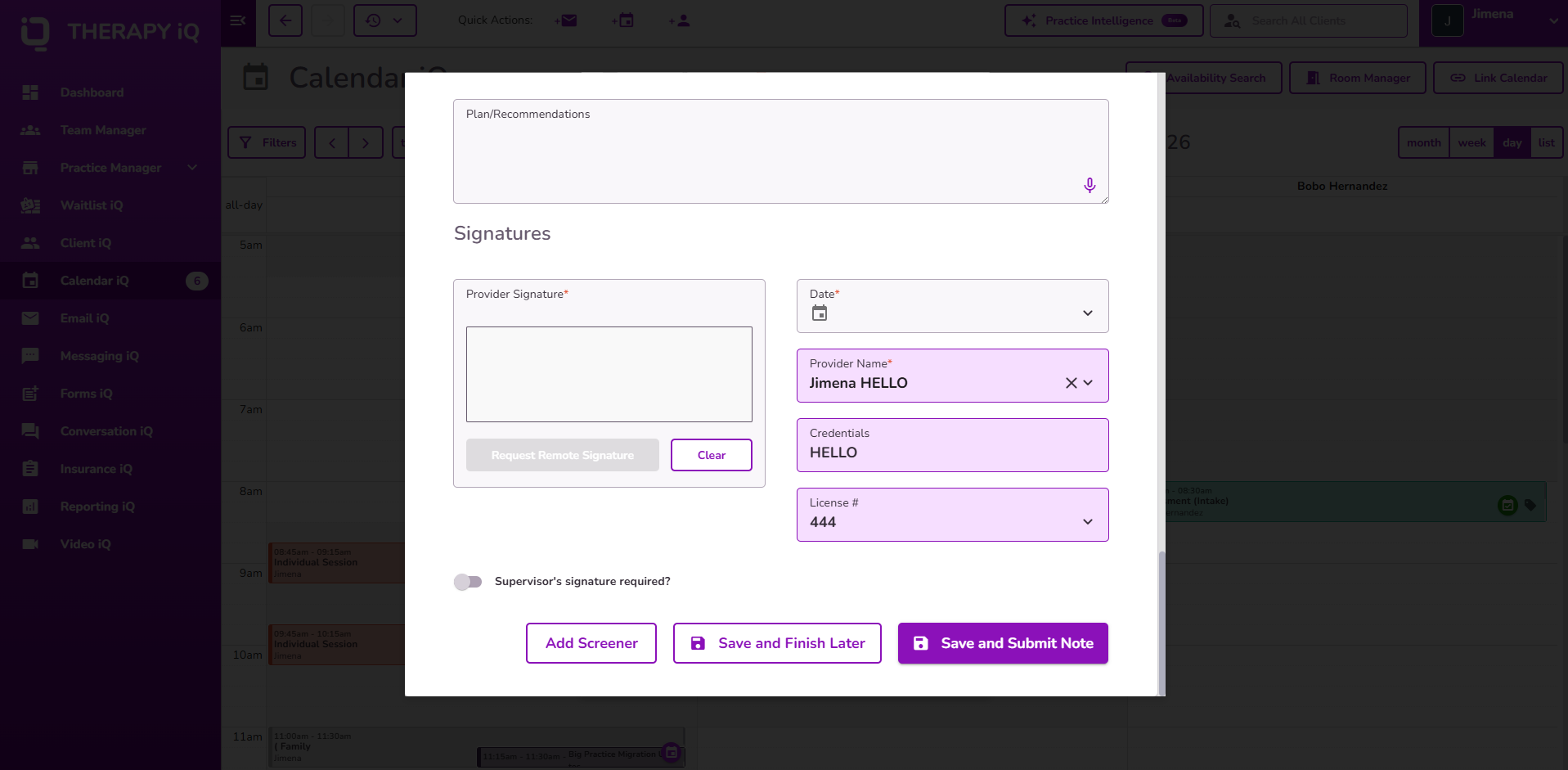
Billable form signature sections have been enhanced with a Credentials field.
Provider credentials are automatically populated from the User Profile when available, providing clearer provider identification across supported billable forms.
Multiple License Numbers
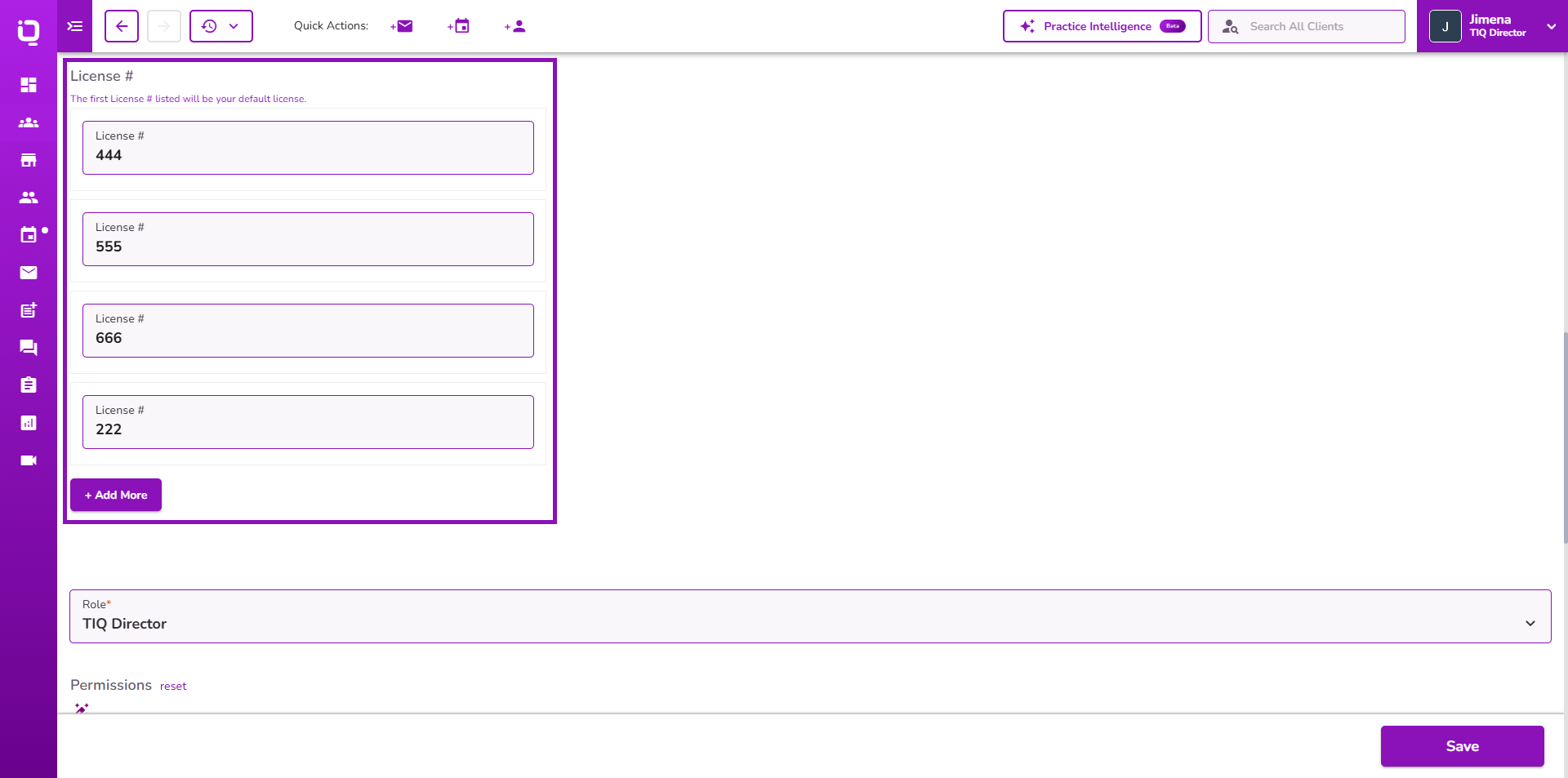
User Profiles now support multiple License Numbers, allowing providers who hold licenses in multiple states to maintain all of their active licenses within Therapy iQ.
Billable form signature sections now include a License # dropdown, allowing providers and supervisors to select the appropriate license for each form. The selected license is saved with the form and displayed in the generated PDF.
👉 Learn more about managing provider licenses and billable form signatures.
Provider Availability in Week View
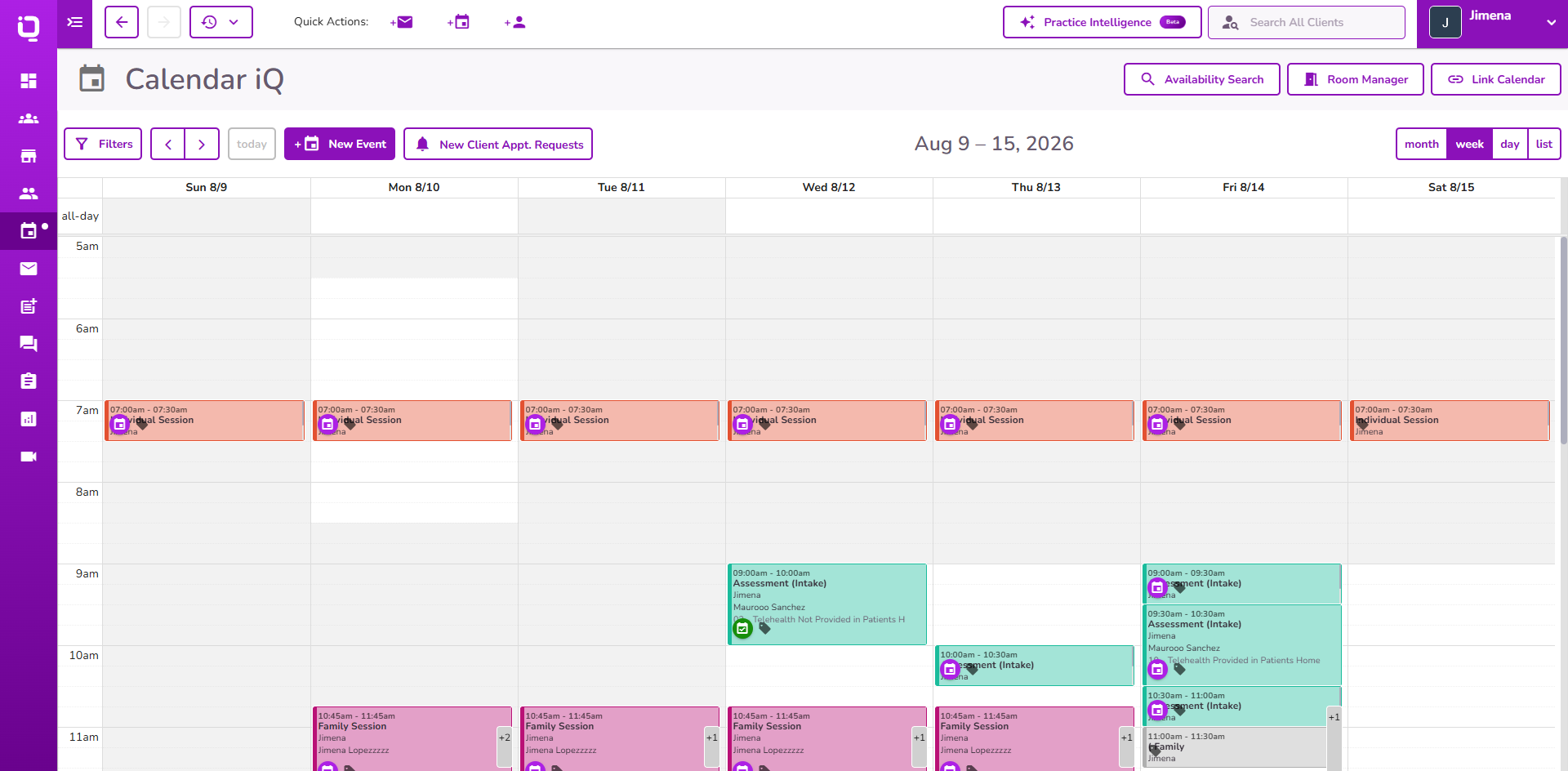
Calendar Week View has been enhanced to display provider availability when a single provider is selected.
Users can now see available and unavailable time slots across the week, matching the existing availability display in Day View.
👉 Learn more about provider availability and Calendar views.
Video iQ Payment Enhancement
Video iQ payments are now enforced consistently when clients access sessions through email invitation links.
When payment is required, clients must complete the existing payment workflow before joining the session, matching the behavior already used when accessing sessions through the Client Portal.
👉 Learn more about how clients can access Video iQ sessions.
Billing Rules: Box 1 Payer Address
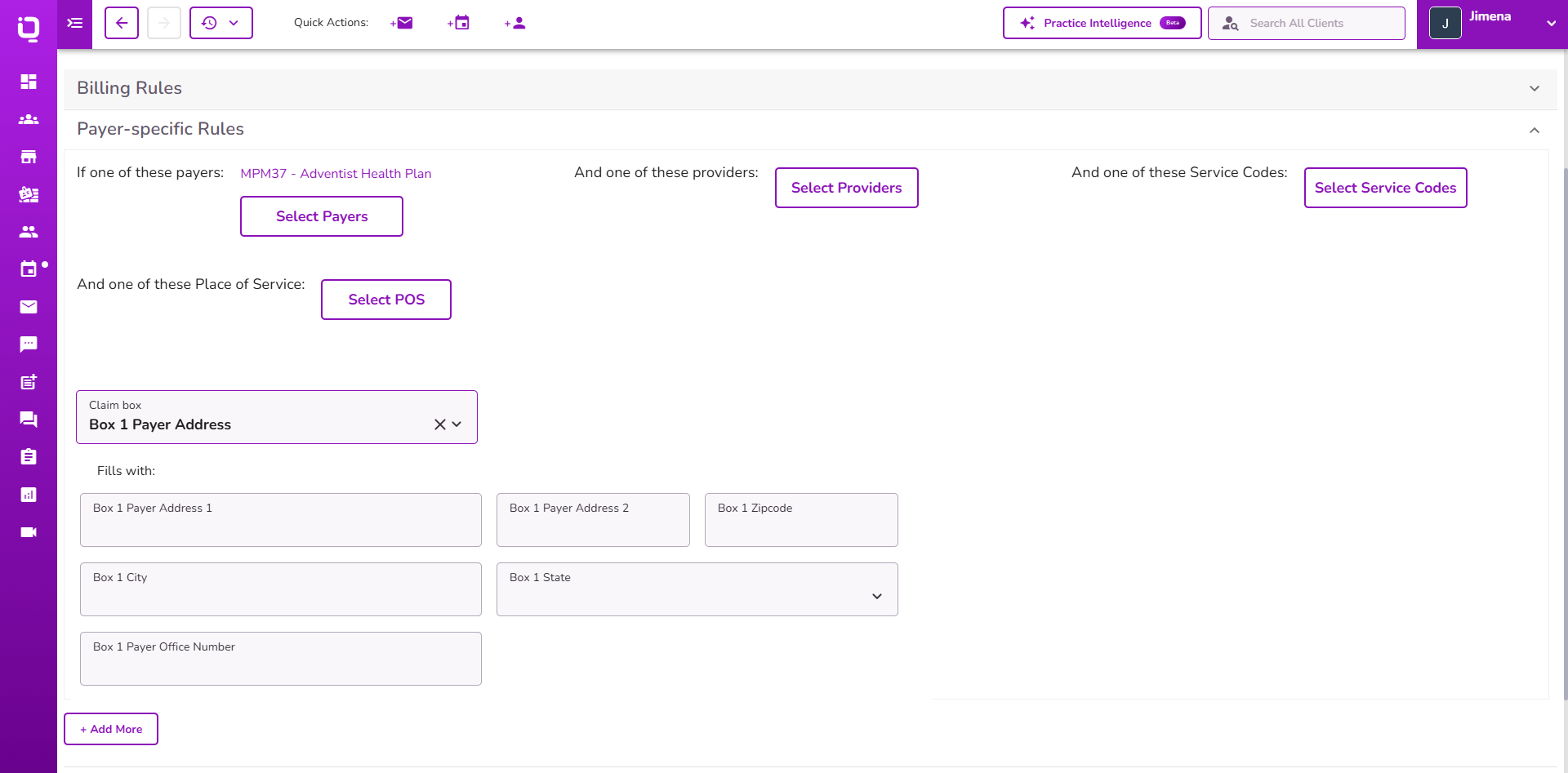
Billing Rules have been enhanced with a new Box 1 Payer Address configuration option.
Practices can now configure payer-specific address information that automatically populates the corresponding payer address fields on matching insurance claims.
👉 Learn more about configuring Payer-Specific Billing Rules.
Payment Receipt Visibility
Payment Receipt sharing in the Client Portal has been enhanced so receipts are only displayed to clients after a payment has been successfully collected.
Receipts are no longer visible in the Client Portal when no payment has been collected, helping prevent confusion about whether a payment has been processed.
👉 Learn about Payment Receipts
Dashboard Alert Enhancement for Amended Forms
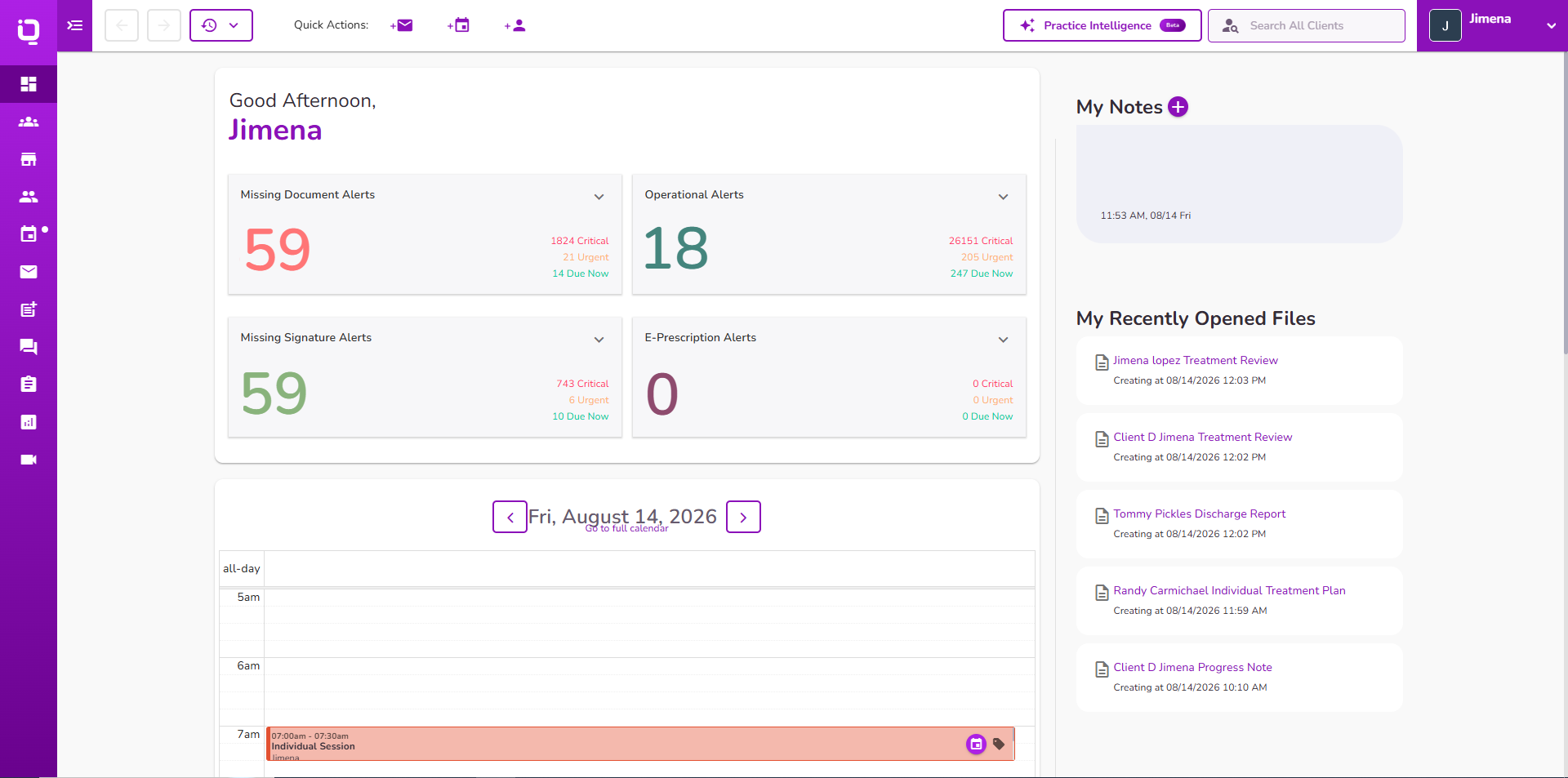
Dashboard alerts have been enhanced to evaluate only the current version of an amended form.
Original form versions are no longer used to generate or display Dashboard alerts after an amendment has been created.
👉 Learn more about Dashboard Alerts
Appointment Email Time Zone Enhancement
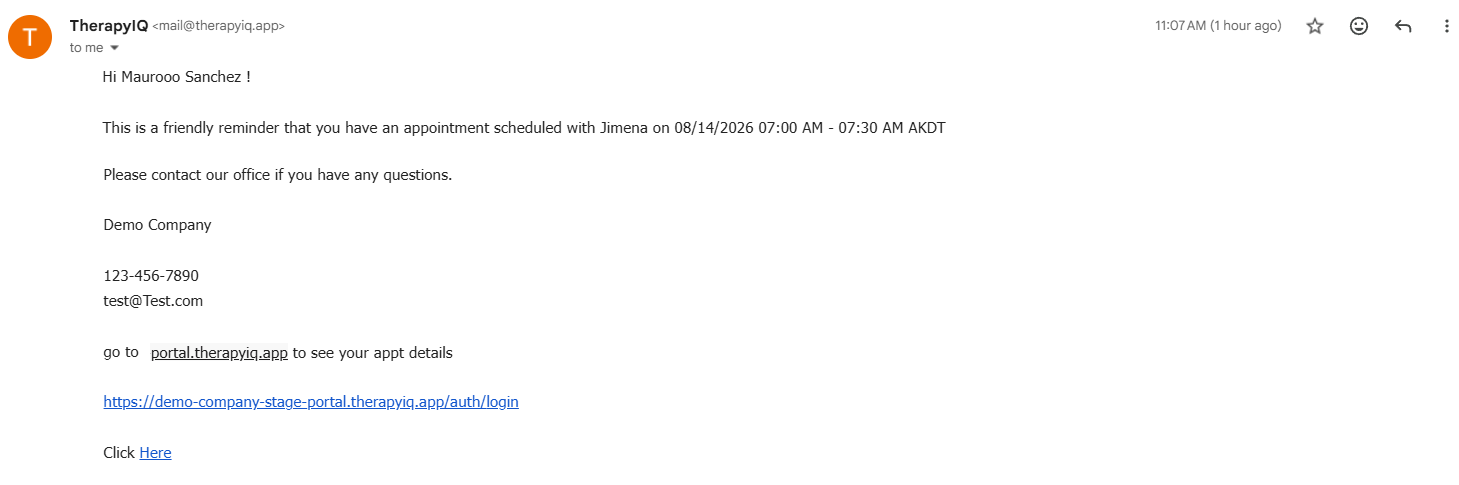
Appointment-related email templates have been enhanced to display appointment times using the recipient's configured time zone.
Meeting Invitation, Appointment Invitation, Event Cancel, and Self Scheduling Notification emails now use the provider's or client's configured time zone, with the practice time zone used when no recipient time zone is configured.
