Insurance Coverage Start and End Dates
The Financial & Insurance Info tab in the Client Profile now includes optional Coverage Start Date and Coverage End Date fields.
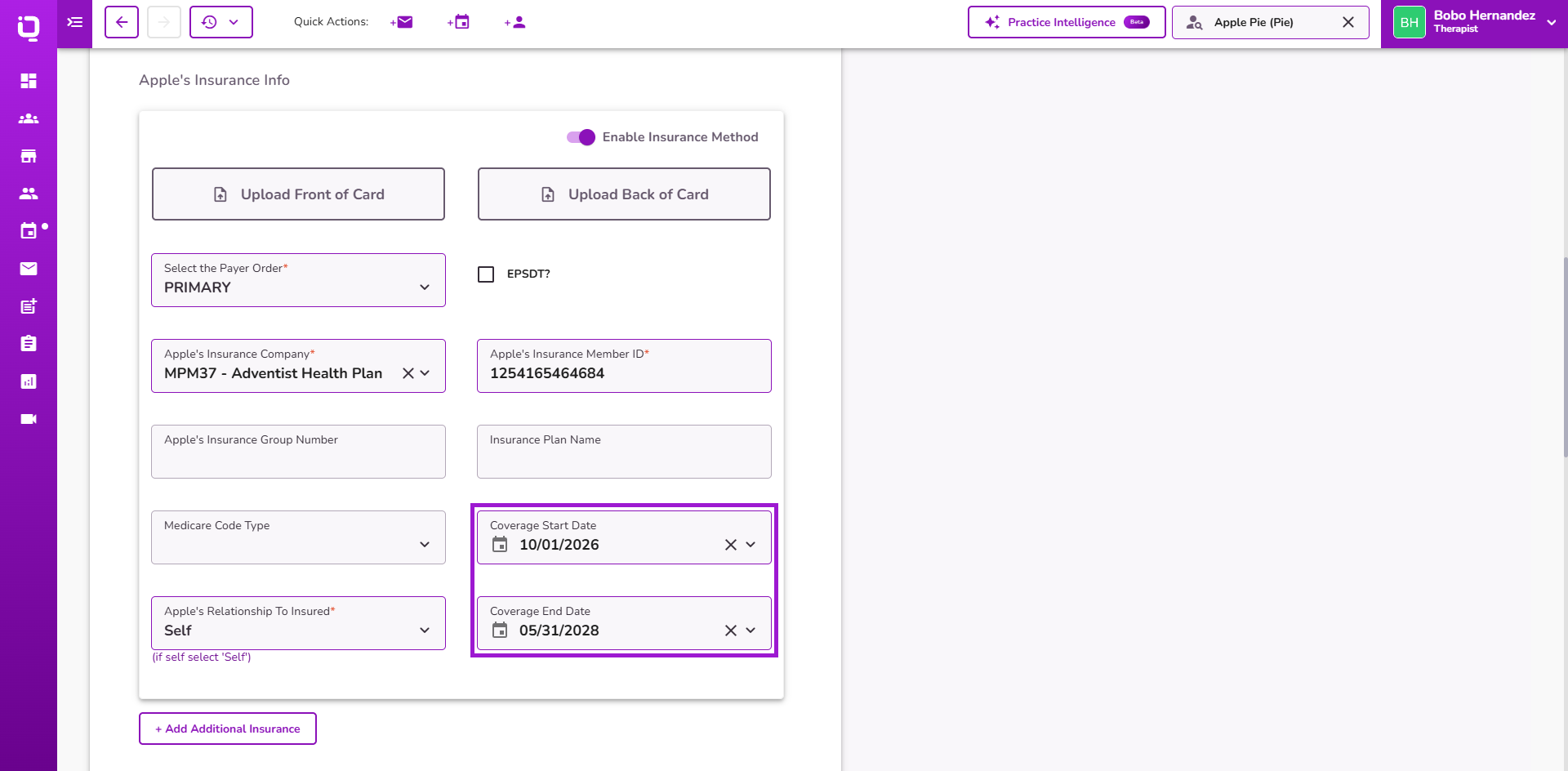
These fields allow practices to document coverage periods for each insurance policy, including primary and secondary insurance.
Each policy maintains its own coverage dates, making it easier to reference insurance coverage information.
👉 Learn more about the Client Profile Editor.
Practice Address in Insurance Verification
Insurance Verification now automatically populates the practice address using the Primary Practice Location configured in Practice Manager.
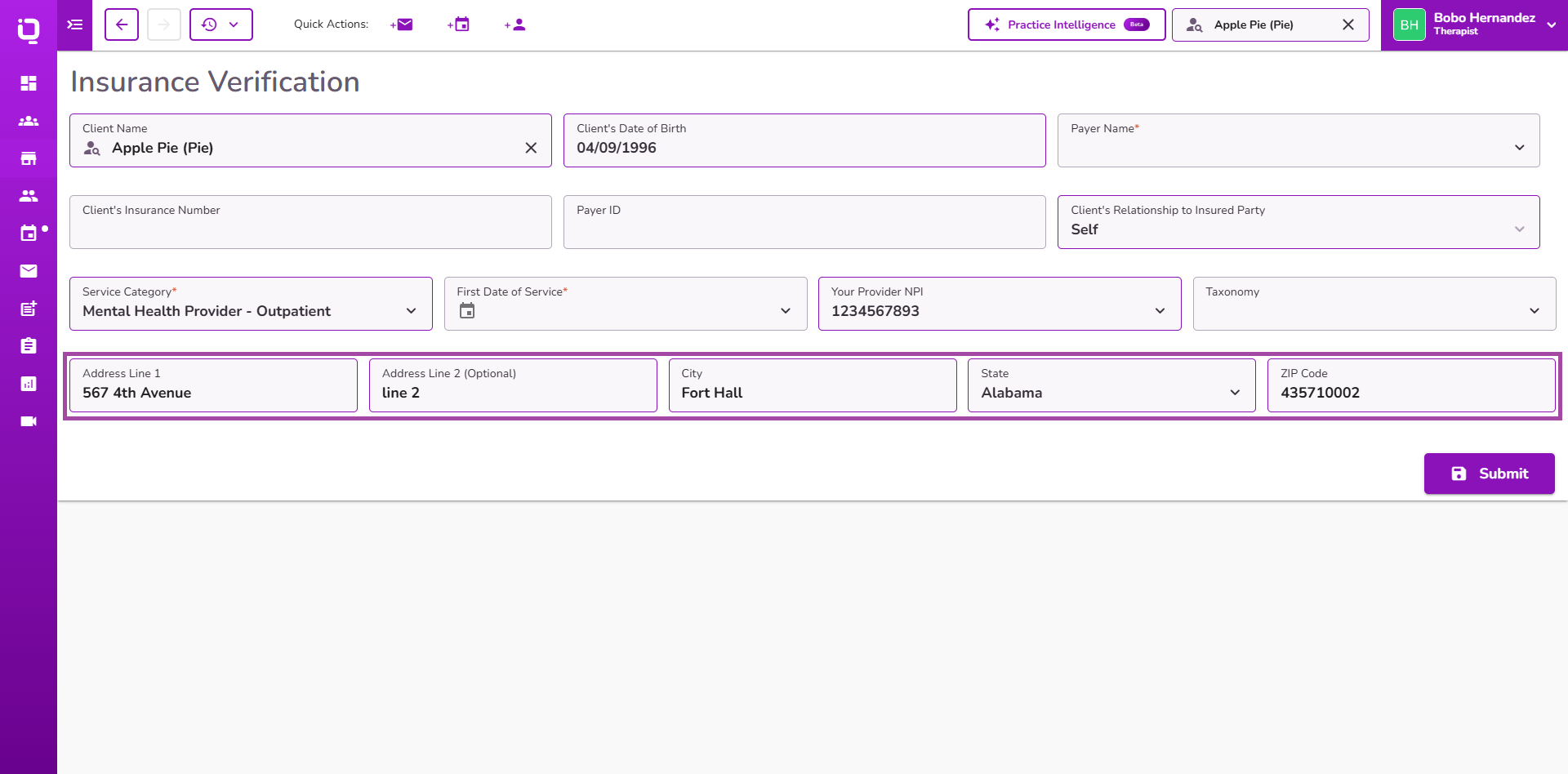
Users can review and edit the address before submitting a Verification of Benefits (VoB) request. Any changes apply only to that verification and do not update the saved practice address.
This enhancement also supports Monthly Automatic VoB
👉 Learn more about Insurance Verification.
Office Address in Appointment Invitations
The Appointment Invitation and Telehealth Invitation email templates now support the Office Address placeholder.
When included in a template, the placeholder automatically displays the address of the office associated with the appointment. If no specific office is assigned, the practice's primary address is used.
This helps practices with multiple locations provide accurate office information without manually updating invitation emails.
👉 Learn more about Practice Email Templates.
Insurance Aging Report Enhancements
The Insurance Aging Report displays the correct totals under the 0–30 Days, 31–60 Days, and 61+ Days columns.
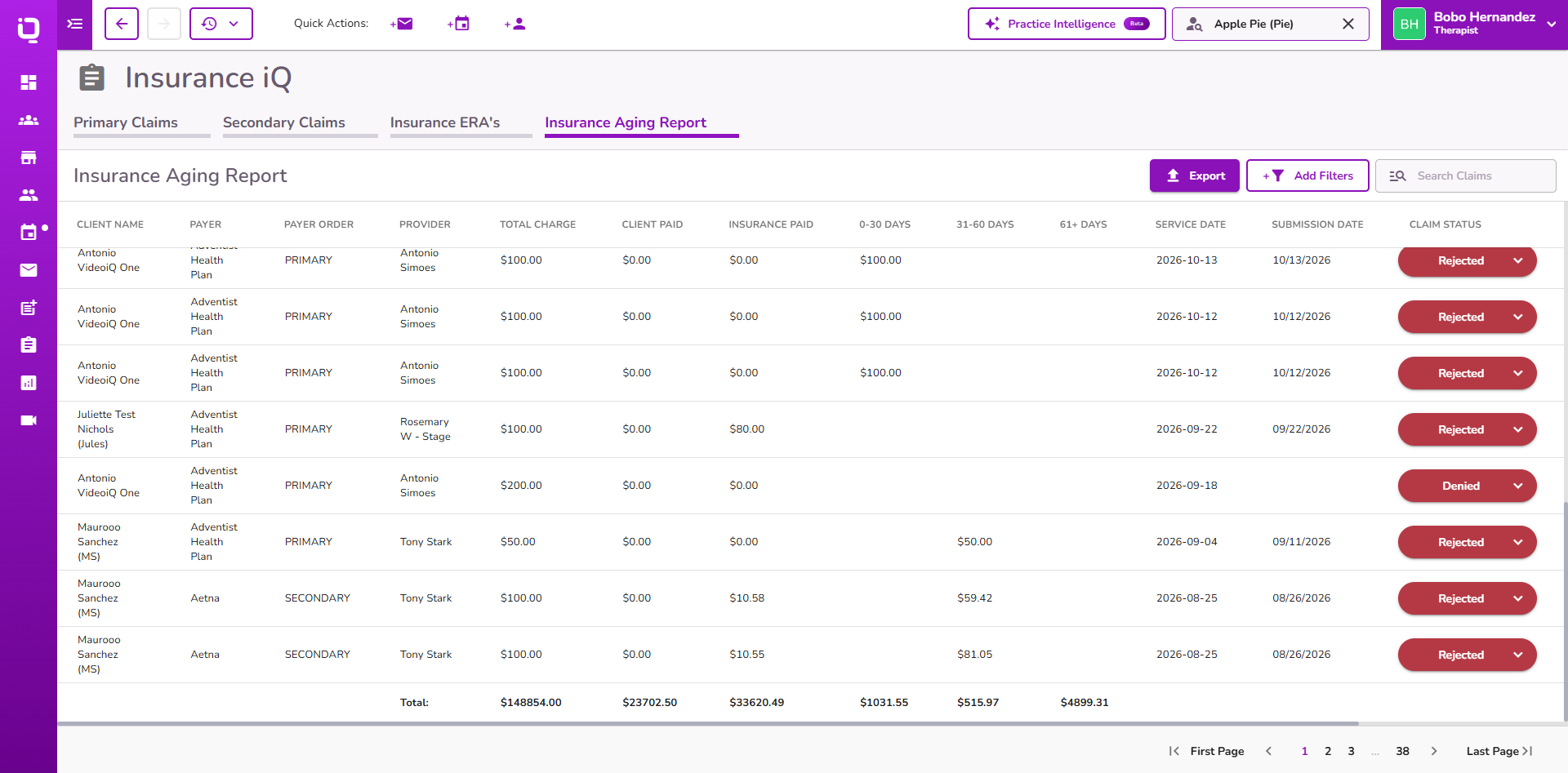
Exported reports also include a Total row summarizing charges, client payments, insurance payments, and aging balances.
When filters are applied, the exported totals reflect only the filtered results.
👉 Learn more about the Insurance Aging Report.
Insurance Claim Statuses on Client Statements
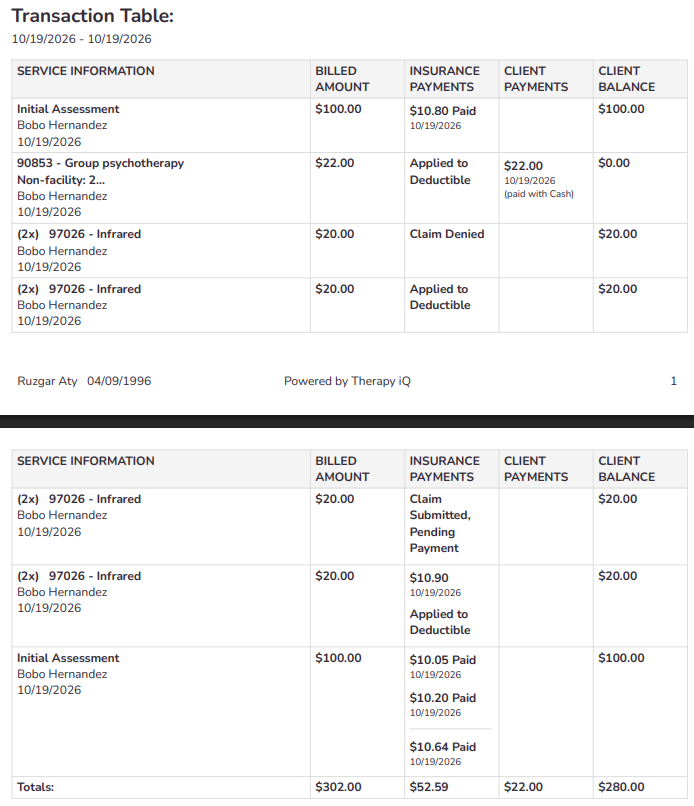
Client Statements now display Claim Denied, Claim Rejected, and Applied to Deductible when applicable, providing a clearer view of the latest insurance claim status.
Insurance payments and adjustments are grouped by their corresponding Primary or Secondary claim, with payment amounts and dates preserved.
The Paid label appears next to insurance payment amounts when the associated claim's current status is Paid.
These updates improve claim status visibility without changing existing statement balances or financial calculations.
👉 Learn more about Generating Billing Statements.
Room Icon in Calendar iQ events
Calendar iQ now displays a Door icon on appointments when a room is assigned, making it easier to identify room assignments without opening the appointment.
Hovering over the icon displays the assigned room name.
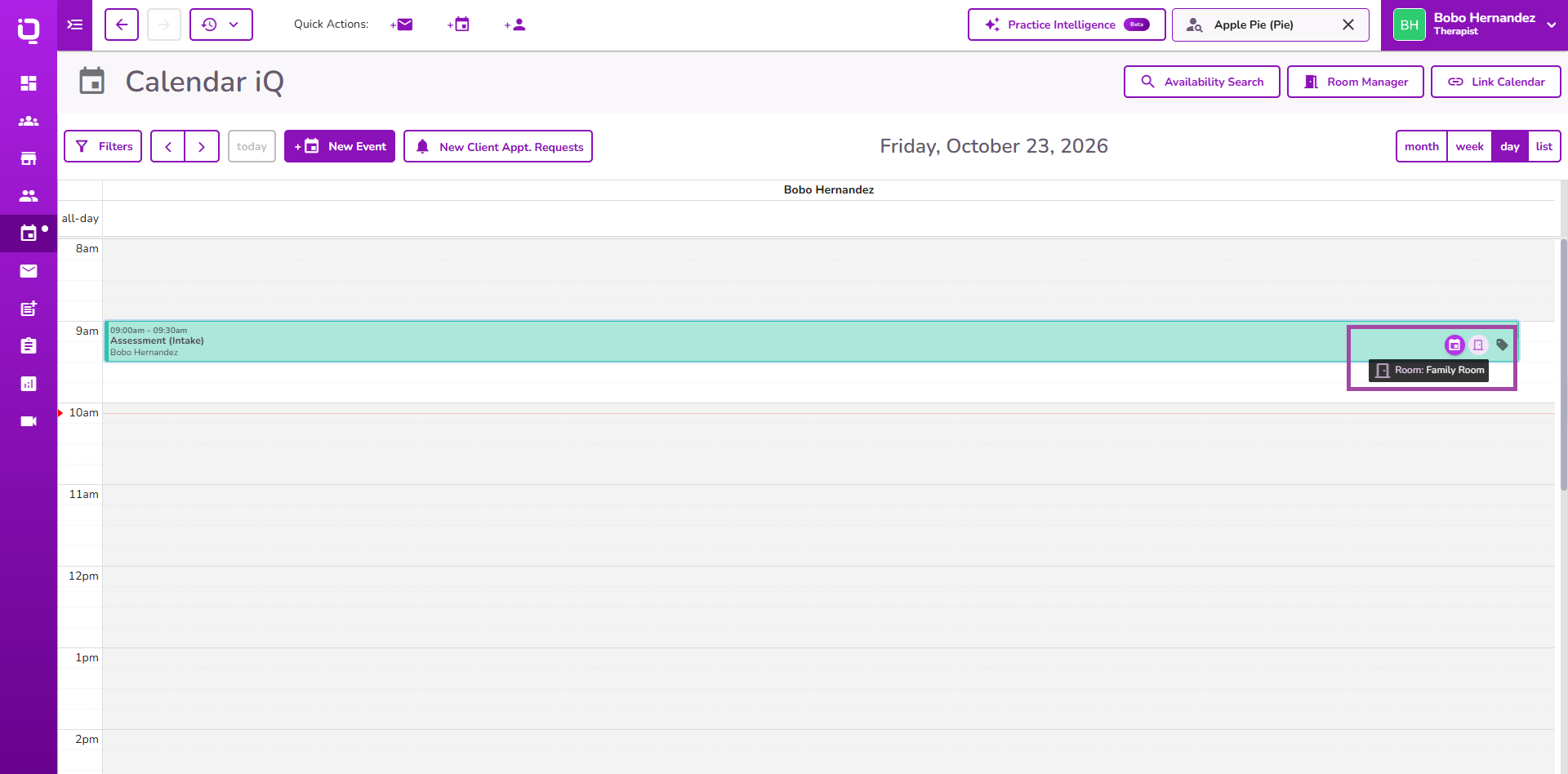
The Door icon is also available in the Calendar filter drawer, with consistent behavior across Week, Day, and List views.
👉 Learn more about Room Management in Calendar iQ.
