How To Create A Manual Ledger Entry
In TiQ, you can create manual ledger entries that are not tied to appointments or events. This is useful when you need to record balances, payments, or other financial transactions that did not occur in TiQ or are not related to a specific appointment.
Important: Creating a manual ledger entry does not generate an invoice for the client. As a result, client payments cannot be applied to balances created this way. If your goal is to record a balance that the client is expected to pay, you should consider creating a standalone invoice instead.
To create a manual ledger entry:
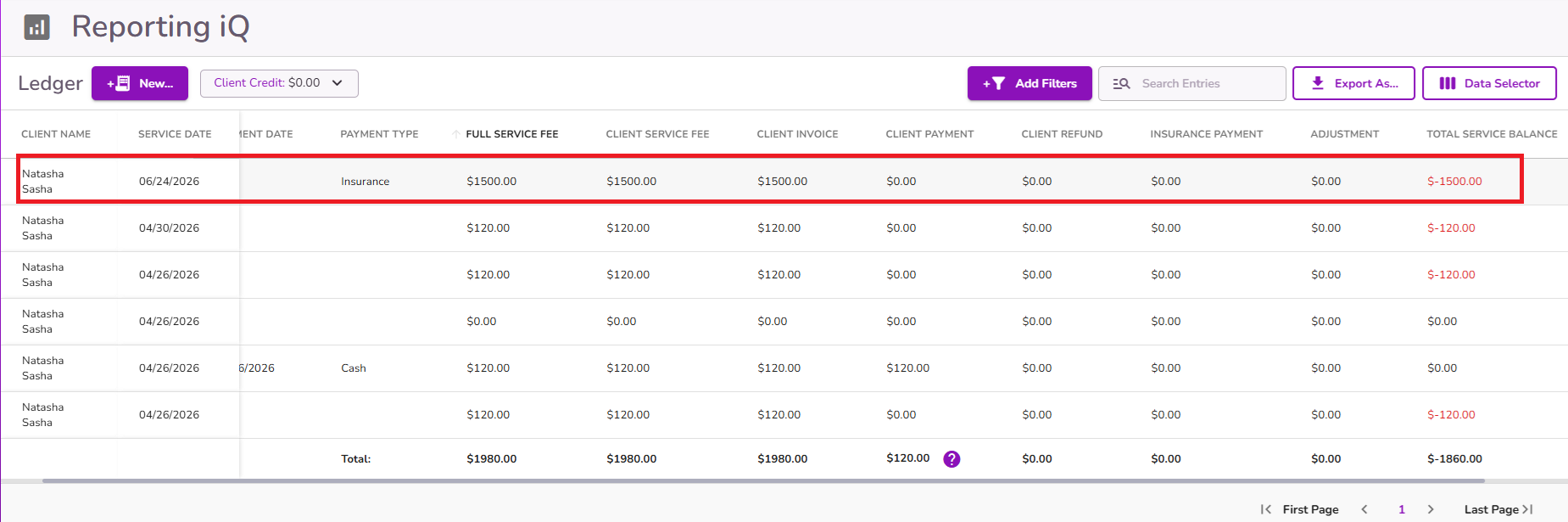
Navigate to Reporting iQ > Ledger.
Note: You can also access the ledger by going to Client Profile > Billing Overview > See All Billing Transactions.
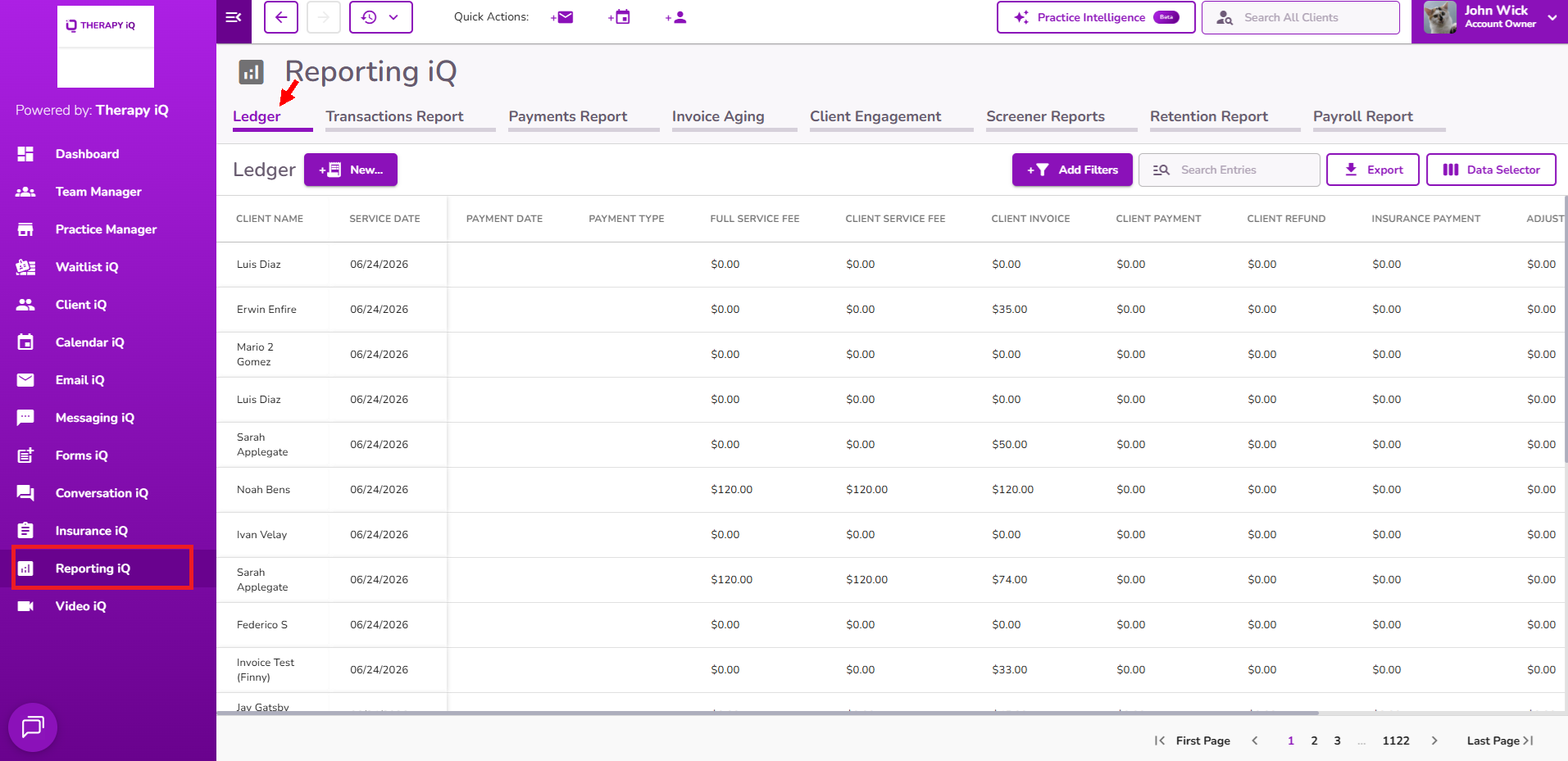
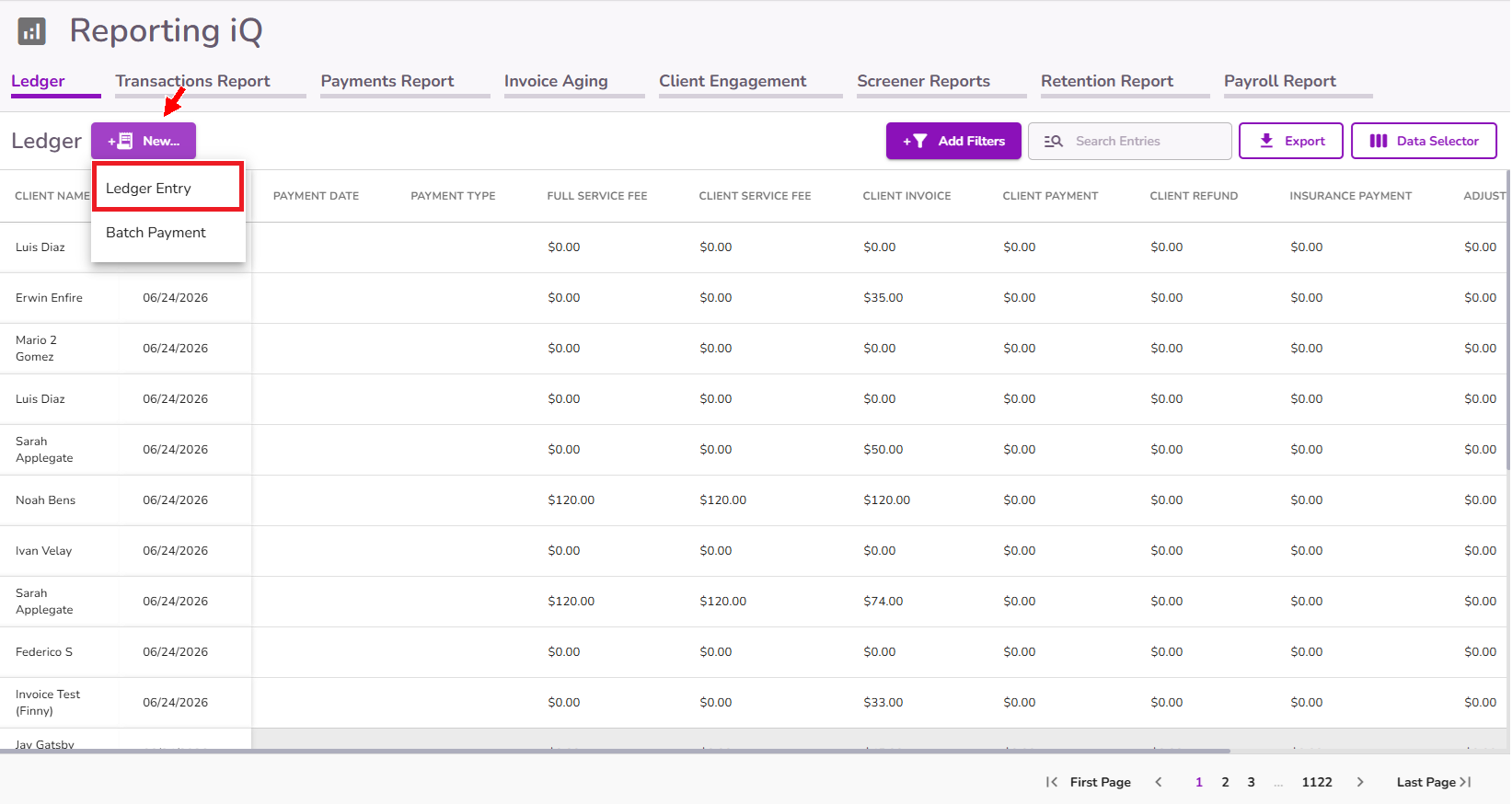
Click + New and select Ledger Entry.
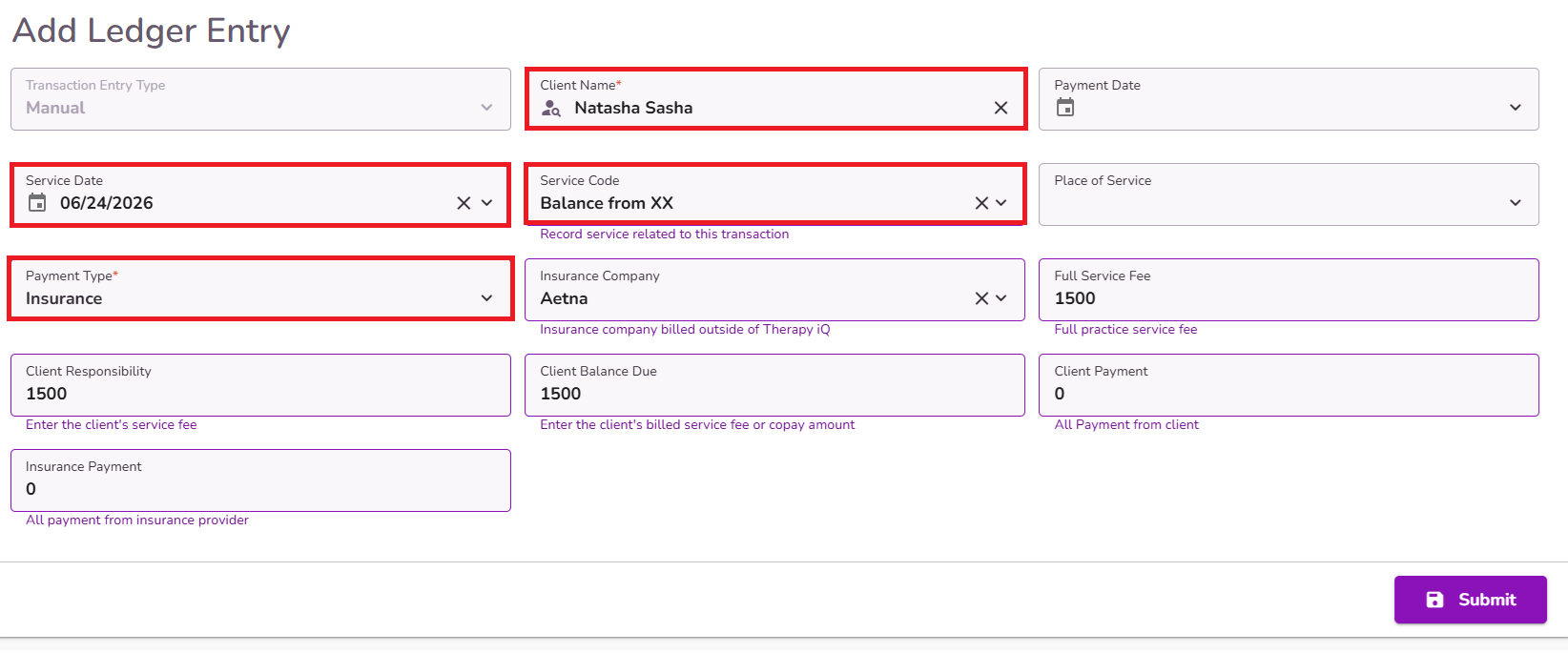
Enter the details of the transaction you would like to record.
Note: The Client Name, Service Date, Service Code, and Payment Type fields are required. You can enter a custom description in the Service Code field if needed.
Once all the information has been entered, click Submit.
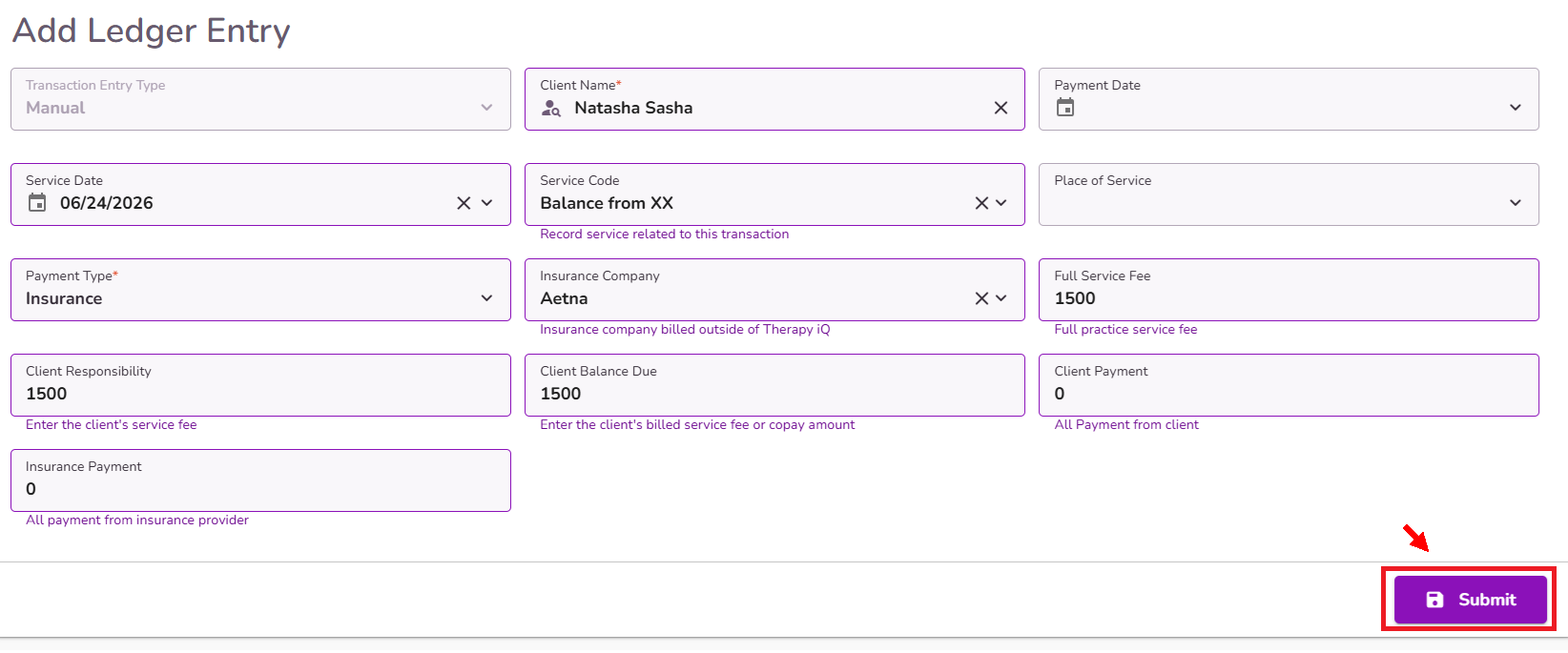
The new ledger entry will then be created with the details you provided.
If you need to clear the balance created by the ledger entry, you can record Manual Insurance Payments and/or Adjustments as appropriate.


