Understanding Practice Intelligence
Practice Intelligence iQ is our AI-powered chat tool that helps you quickly find and request information related to client profiles, financial details, and claim information while you’re navigating the platform. You can access it from anywhere in the system, and it lets you pull details like contact information, client status, revenue, claim updates, and more.
Practice Intelligence can also help you create new client profiles, draft emails, and gather specific client information with just a few clicks. Think of it as a smart, time-saving assistant that makes your workflow easier and reduces the need to move around the platform.
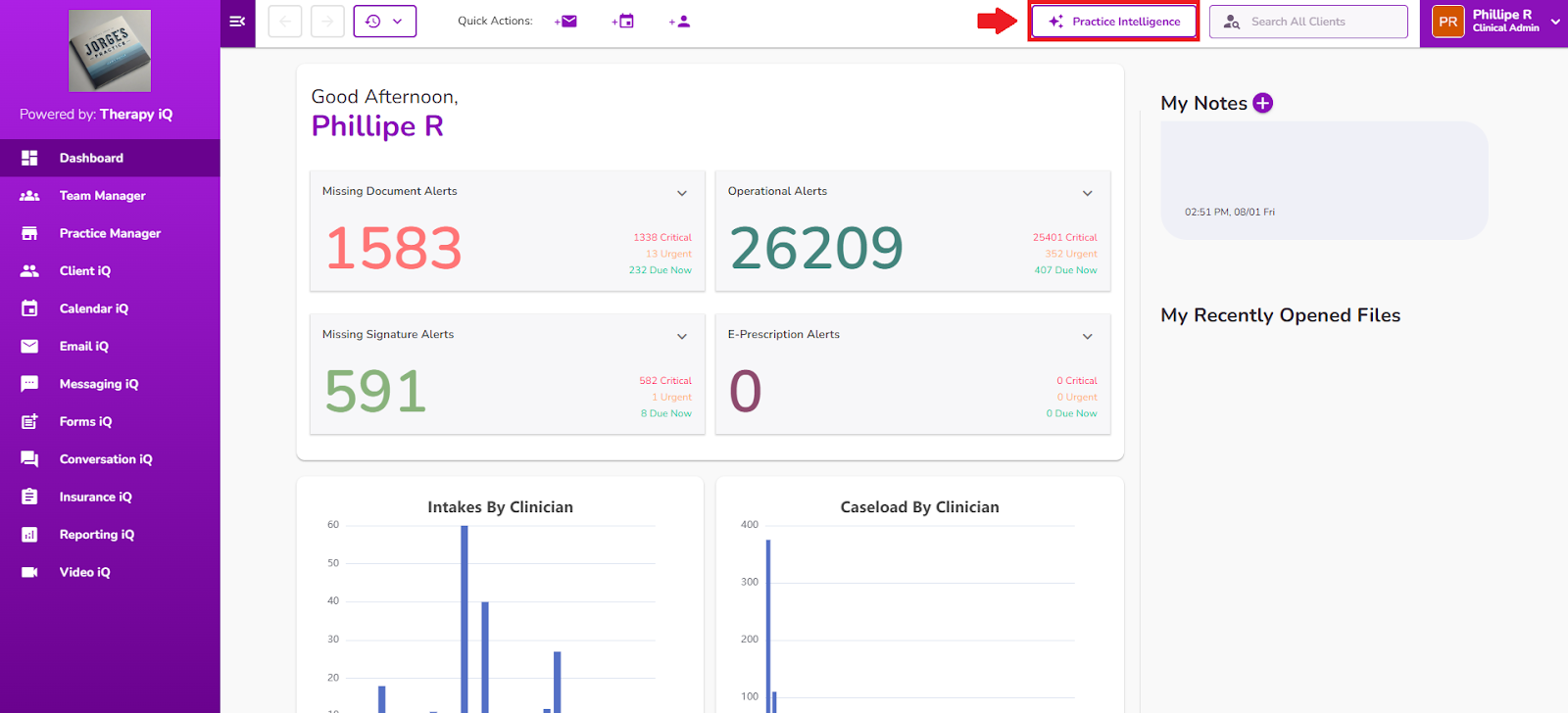
IMPORTANT: Once Practice Intelligence iQ is enabled on a user’s profile, it will appear in the top toolbar, so it can be opened from anywhere in the platform.
Click here for more information on enabling Practice Intelligence.
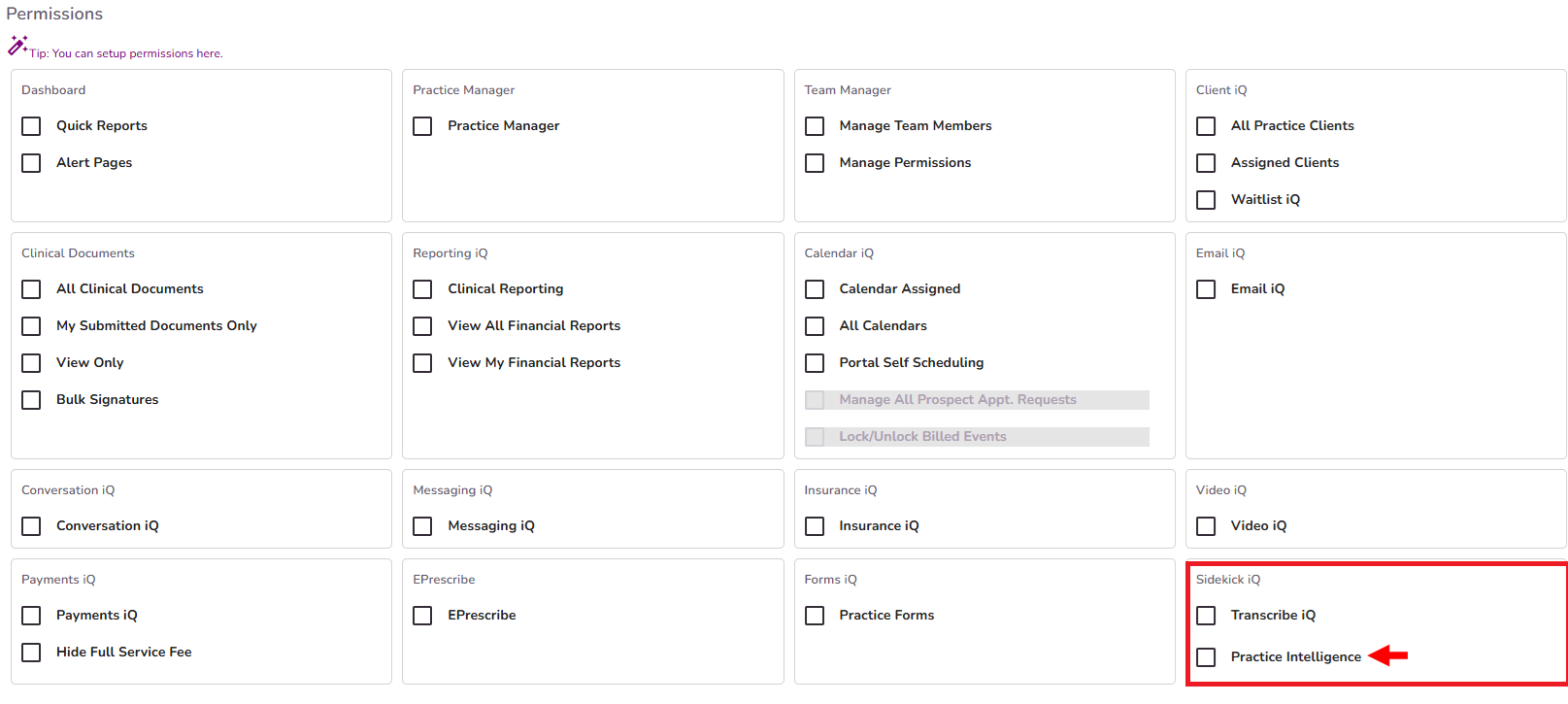
NOTE: Practice Intelligence can answer questions about client profiles and demographics, financial details (Reporting iQ), claims, and insurance payments (Insurance iQ).
By selecting the Practice Intelligence button, the AI-powered chat tool will open, displaying a history of previous prompts and questions submitted by the user.
Each entry includes the date and offers options to rename or delete prompts via the three-dot menu. The Practice Intelligence AI uses the context of your previous interactions to generate accurate and relevant responses.
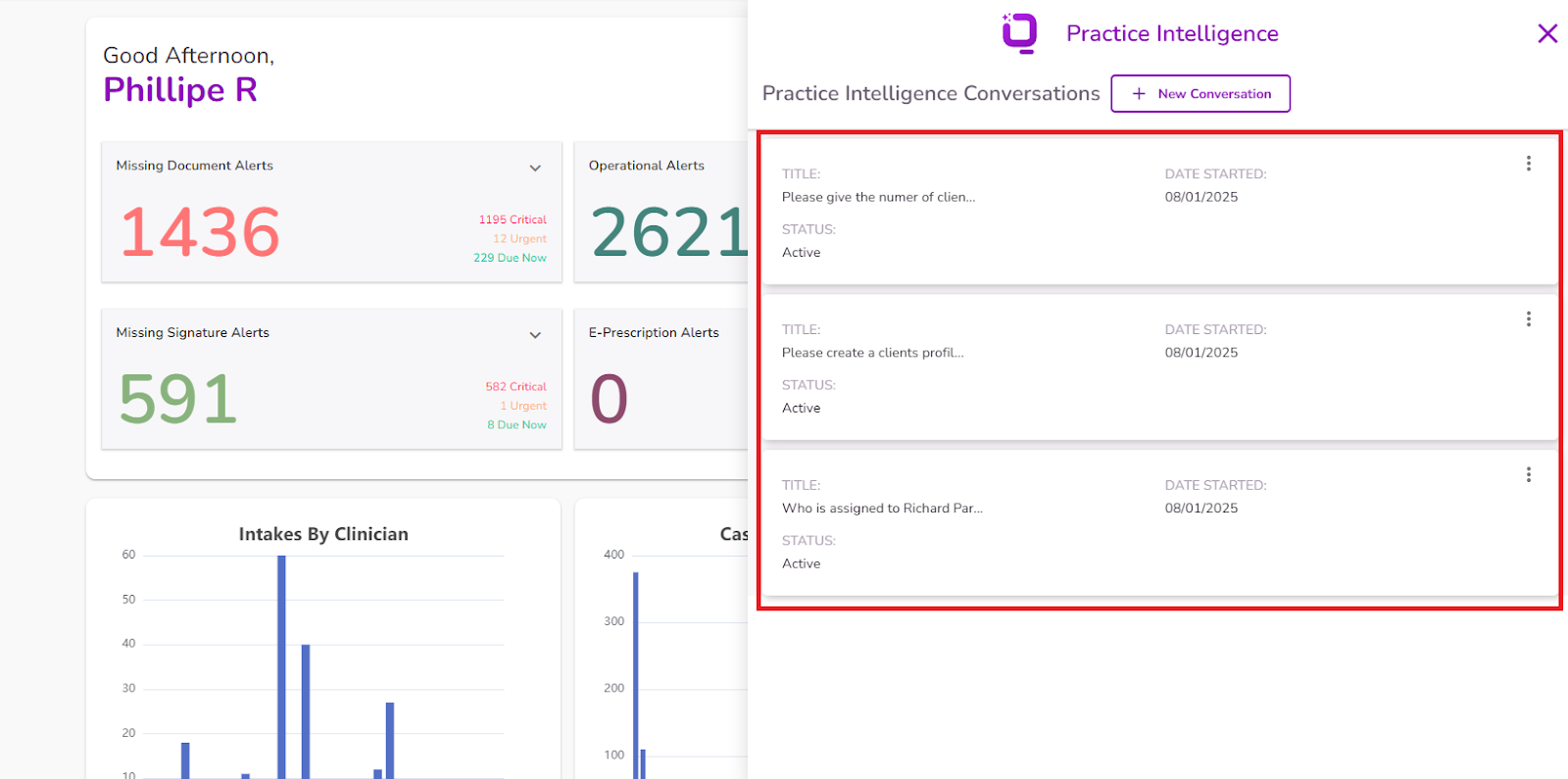
To begin a new request, click + New Conversation.
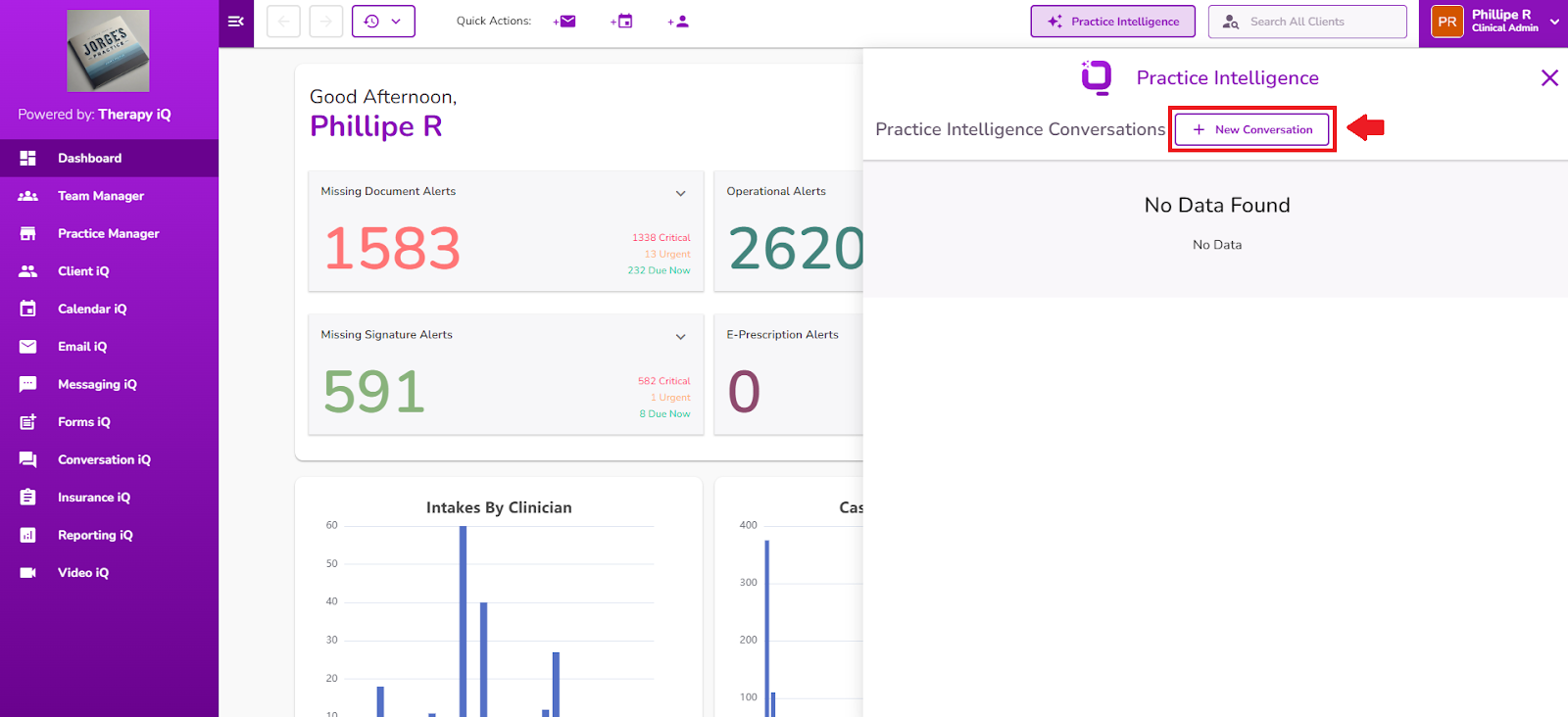
This opens a fresh chat window where you can ask questions or request information as needed.
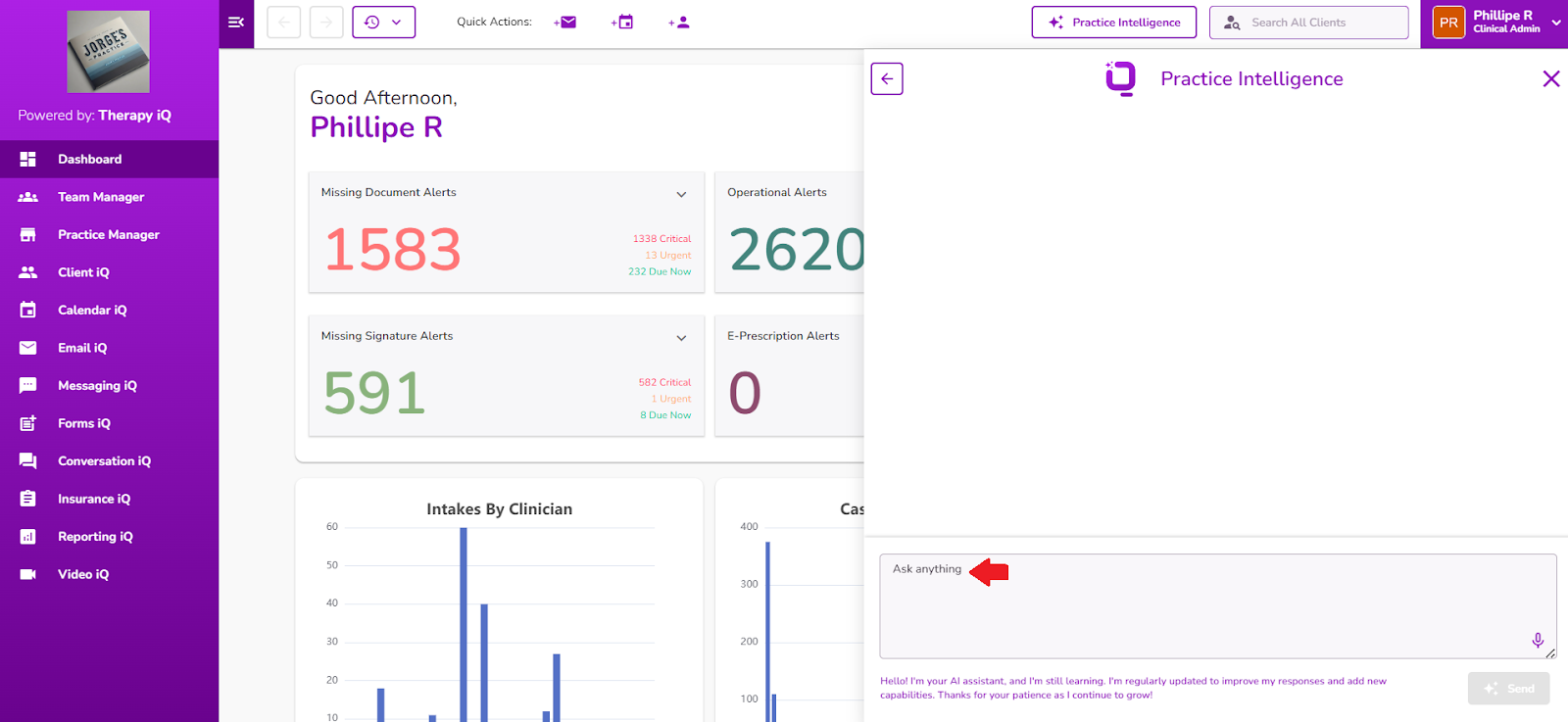
NOTE: Providing a clear and specific prompt helps ensure the most accurate response. If information is missing or unclear, the AI will notify you and guide you in refining your prompt.
Here are some good examples:
- “What’s the phone number for Ana Torres?”
- "Show me claims over 30 days old"
- “What’s the status of Mariana Salas?”
- "Show me claims with balance over $100"
- “What is the date of birth of Laura García?”
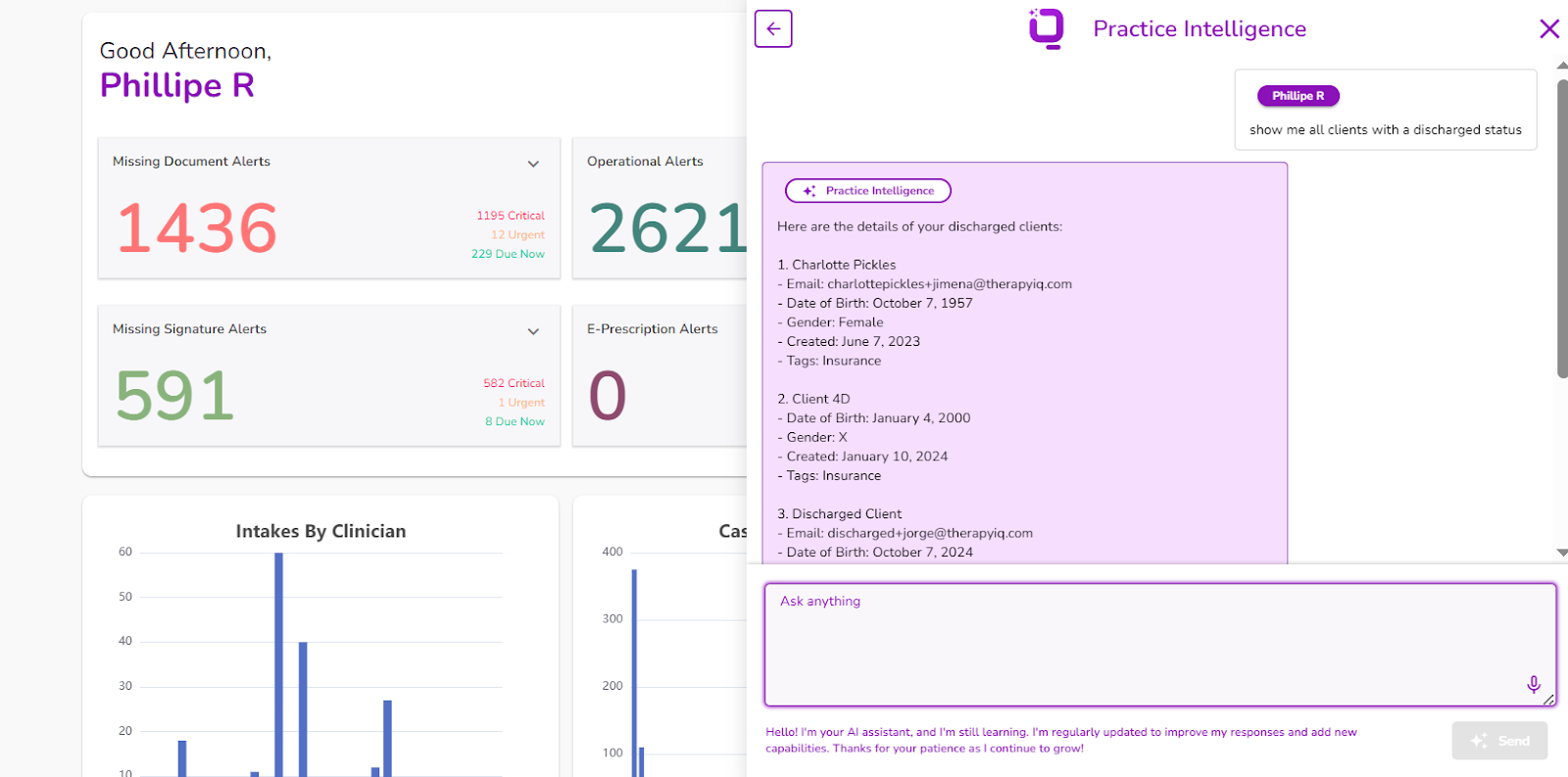
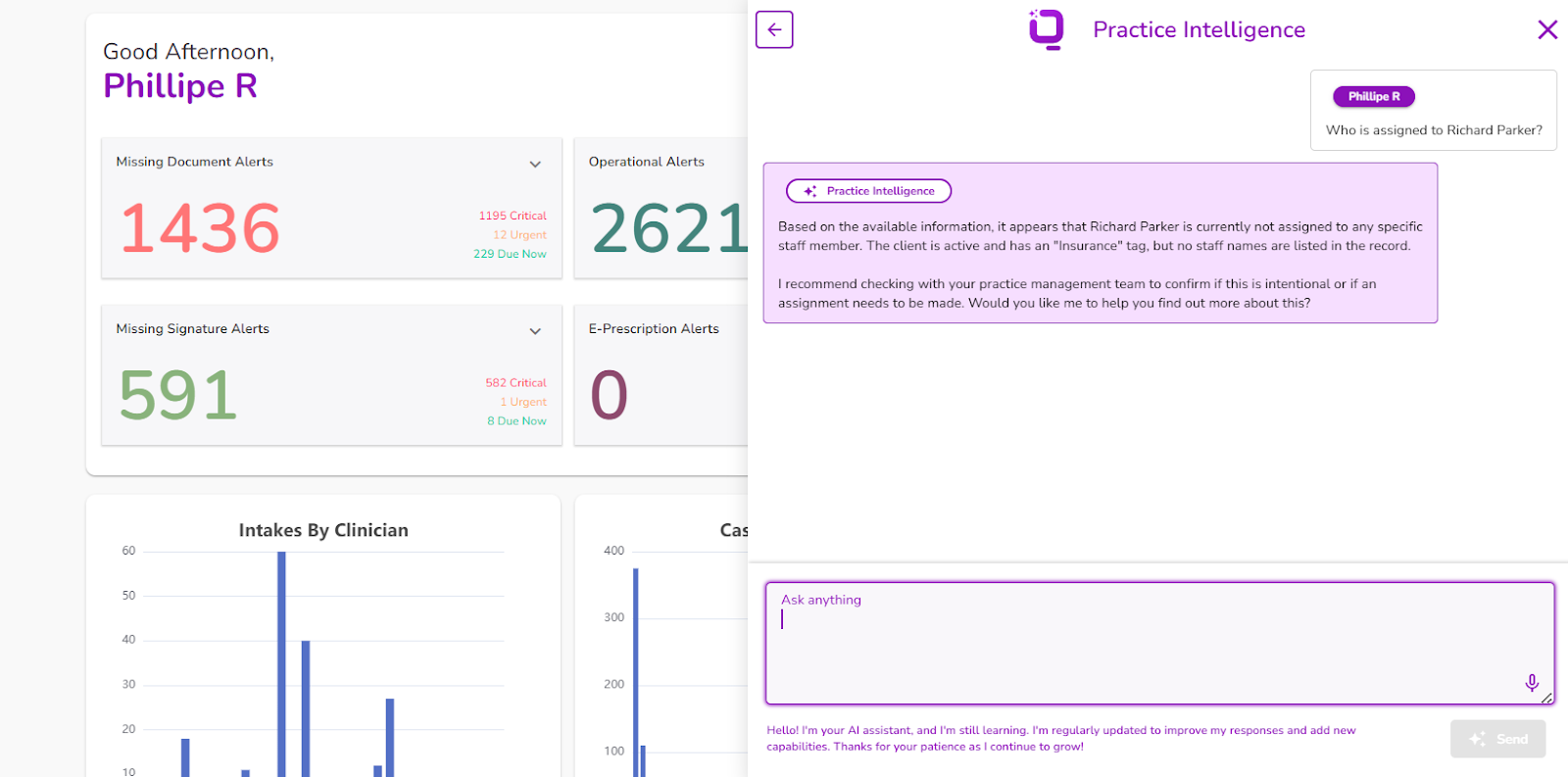
Click here to learn more about writing effective prompts.
You can ask as many questions as needed during the conversation. The AI will either deliver the requested details or let you know if further input is needed. Once you're done, you can close the chat or return to a previous one.
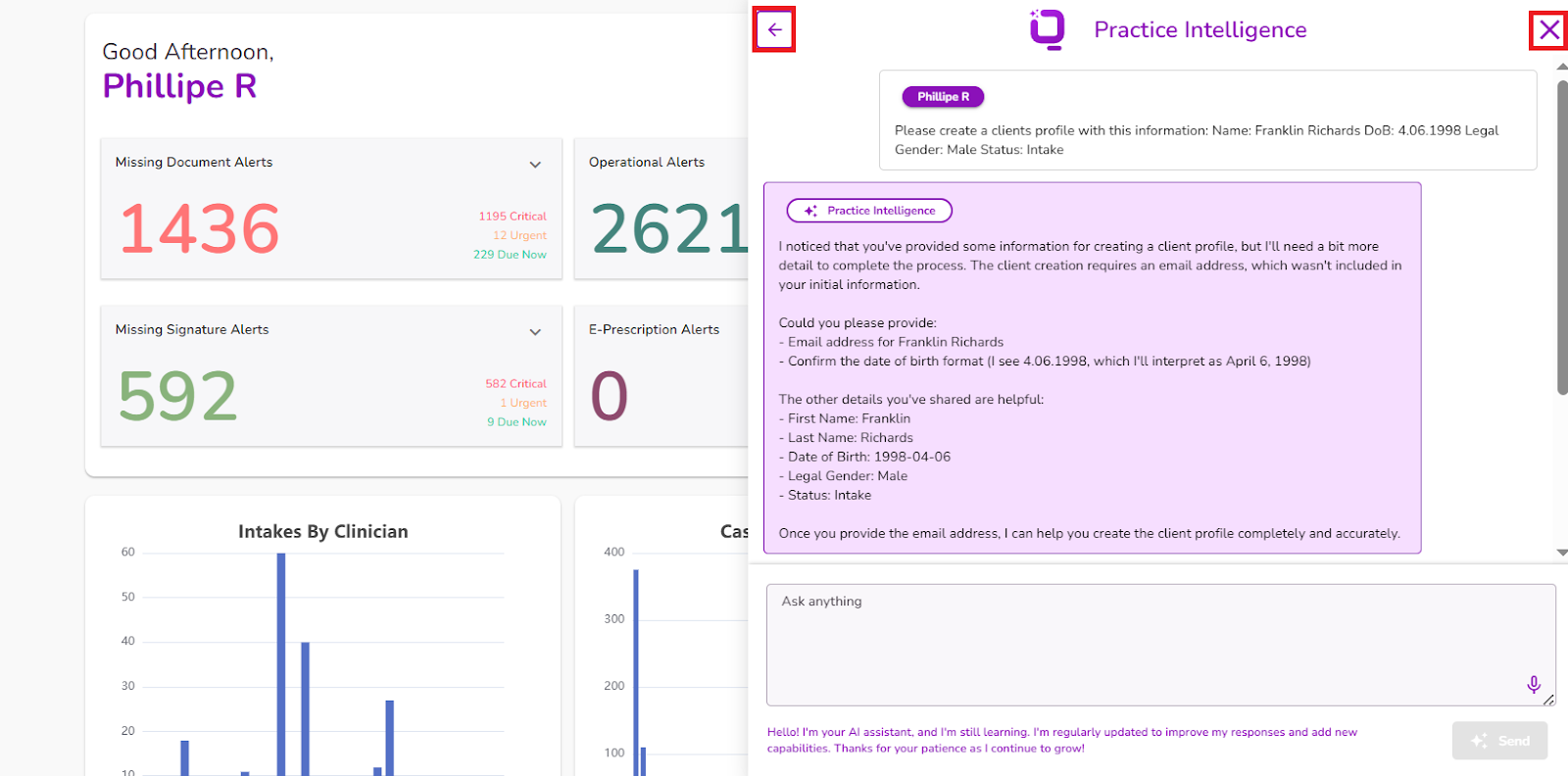
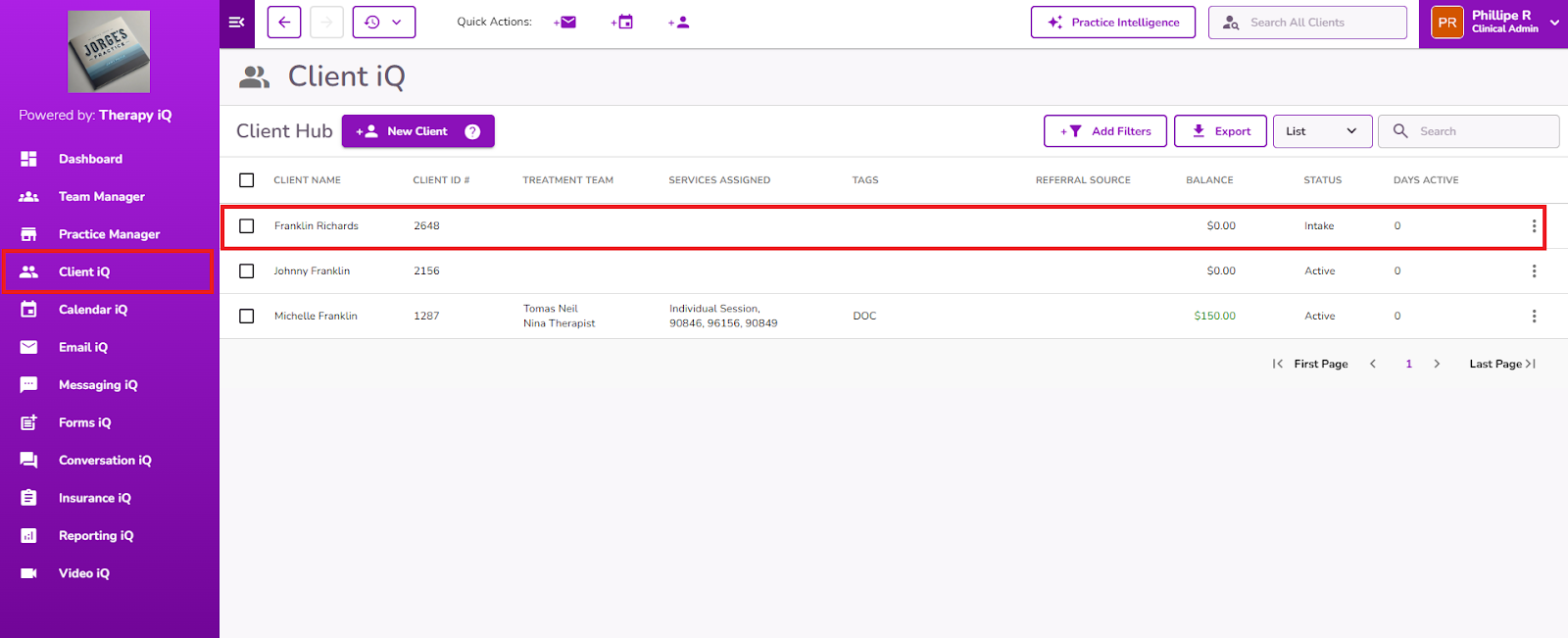
Based on your prompt, the AI will display the relevant information directly in the chat.
IMPORTANT: If the AI is asked to create a new client profile, it will confirm this in the chat, and the profile will automatically be created in Client iQ.