Understanding The Calendar iQ Permission
Within the Calendar iQ box in the Permissions section in a user profile, you will find 5 different permissions that can be granted:
- Calendar Assigned
- All Calendars
- Portal Self Scheduling
- Manage All Prospect Appt. Requests
- Lock/Unlock Billed Events
NOTE: The Manage All Prospect Appt. Requests permission will be greyed out for all users, unless they are added to the Prospect Self Scheduling tab in Practice Manager. Click here to learn more about the Prospect Self Scheduling feature.

- The Calendar Assigned grants providers access to Calendar iQ, limited to their personal calendar only.
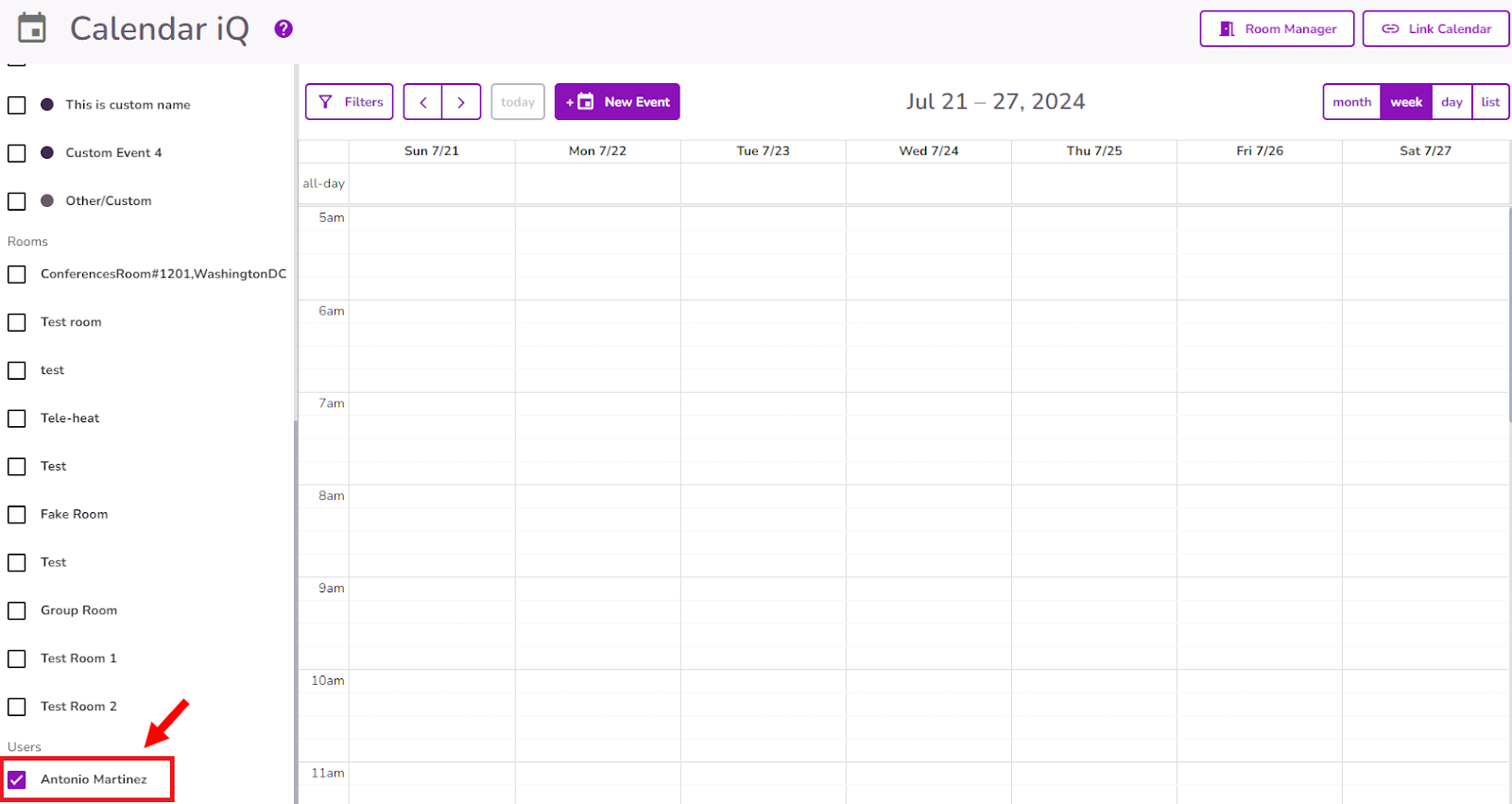
- All Calendars gives users to access all calendars for all providers in the practice. Allowing them to schedule or edit events for other clinicians.
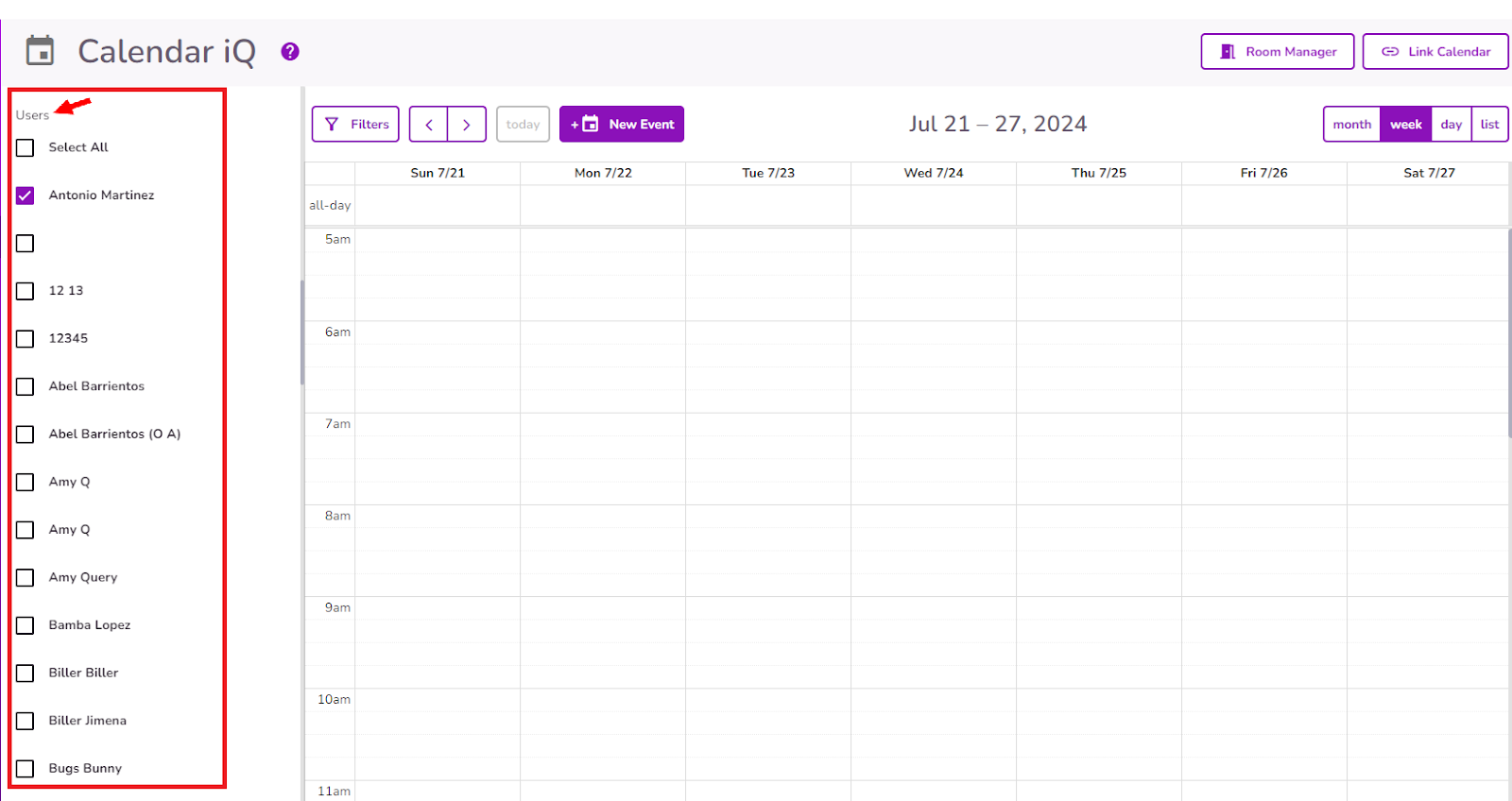
Note: The selected dates for each view will remain saved when navigating between different sections of the system.

- The Portal Self Scheduling permission allows the provider to use the Self Scheduling feature in TiQ.
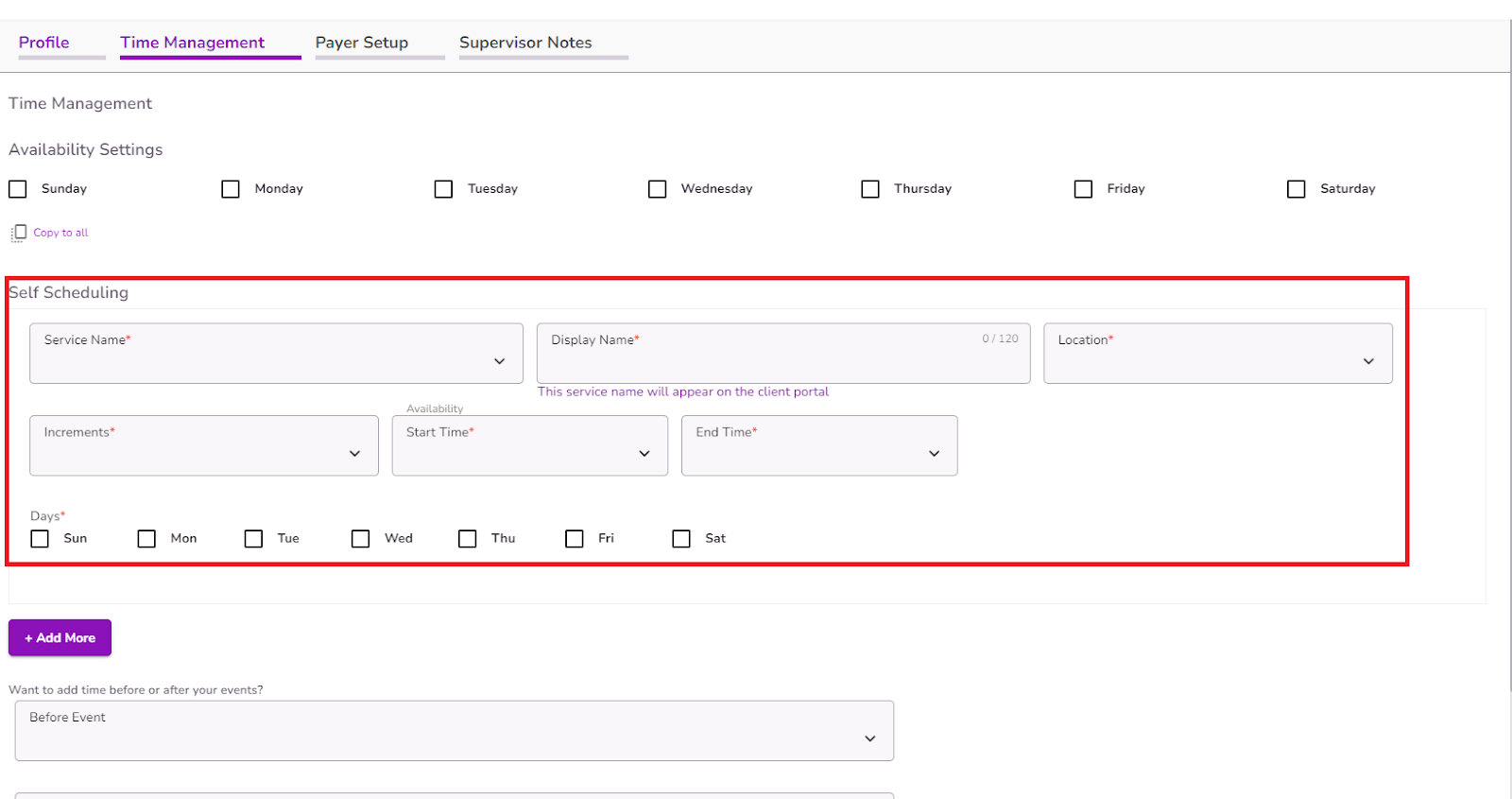
Click here to learn more about self-scheduling in TiQ
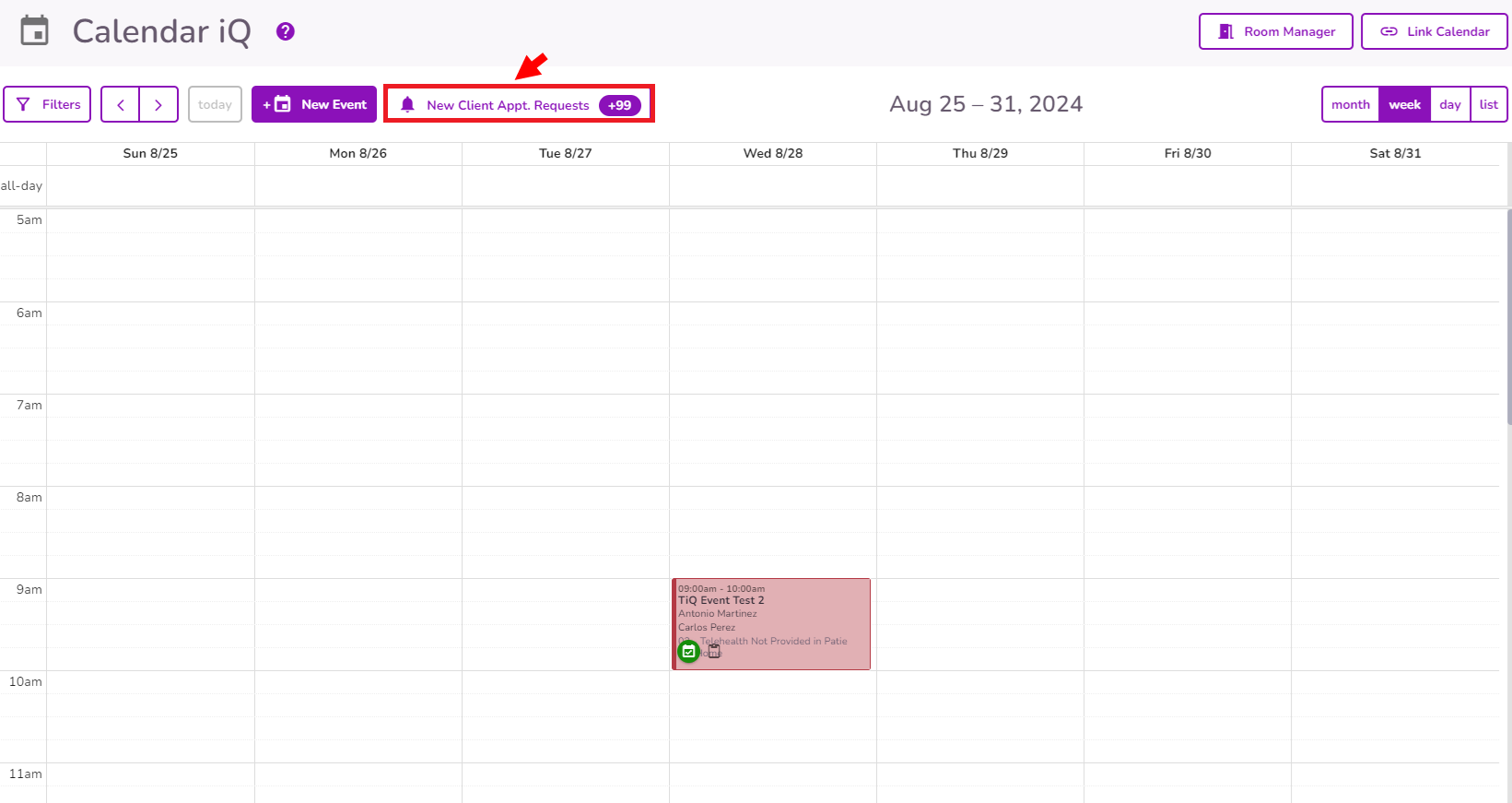
- The Manage All Prospect Appt. Requests permission allows the provider to manage the incoming prospect appointment requests in Calendar iQ.
- The Lock/Unlock Billed Events permission allows providers to manually unlock and relock appointments that were automatically locked when their associated insurance claim was merged with other appointment claims, providing greater control over appointments for billing accuracy.

Note: When an appointment is locked, only the documentation icon will be available to users. If the permission is disabled, the lock icon will be visible but will be disabled blocking users to manually unlock the appointment.


