Understanding The Client iQ Permission
In this guide, you’ll learn how the Client iQ permission works for TiQ users.
Within the Client iQ box in the Permissions section in a user profile, you’ll find 3 different permissions that can be granted:
- All Practice Clients
- Assigned Clients
- Waitlist iQ
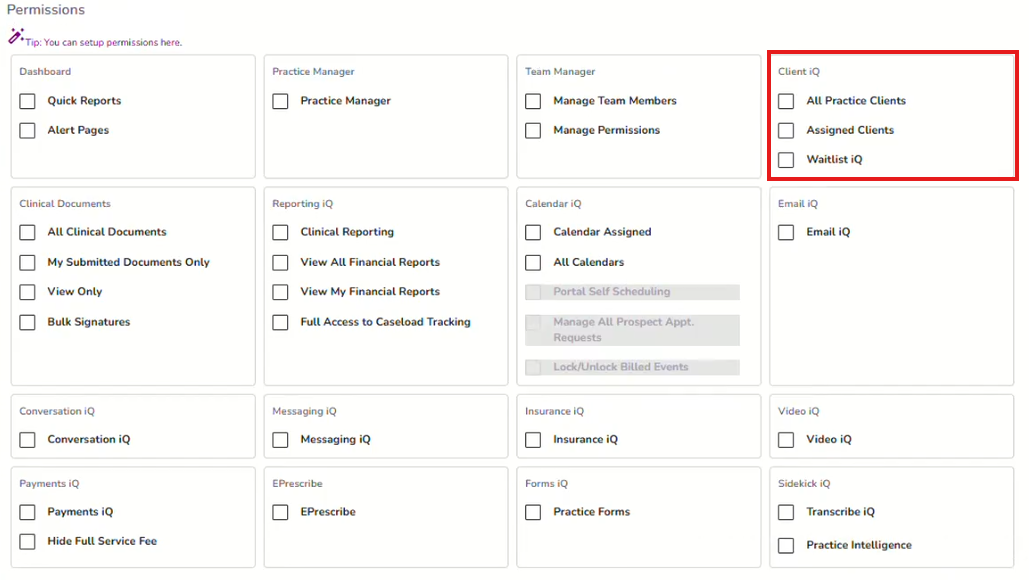
- The All Practice Clients permission, grants the user to access all clients registered in the practice, regardless of the clinician they have assigned.

- When the Assigned Clients permission is enabled, the user will only be able to view and access clients where the provider is listed as part of the client’s treatment team.

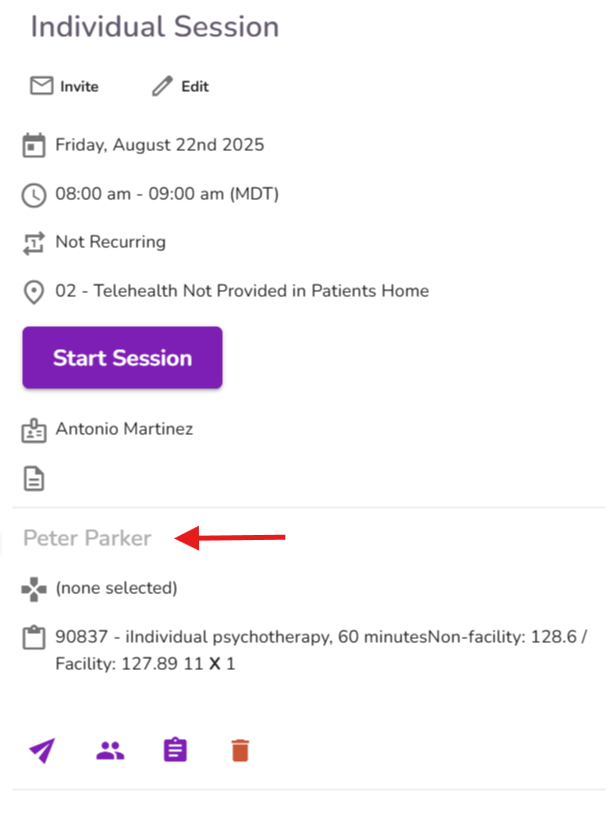
NOTE: The All Calendars permission allows therapists to view calendar events across users' calendars. However, it does not grant additional access to client profiles when the Assigned Clients permission is enabled. Therefore, users will not be able to access a client’s profile by clicking the client’s name.
- When the Waitlist iQ permission is checked, the user gains the ability to access Waitlist iQ. Click here to learn more about Waitlist iQ


