Understanding The Activity Log
The Activity Log helps you track provider (Team member) actions in a clear and organized way. It provides visibility into who performed specific actions and when they occurred.
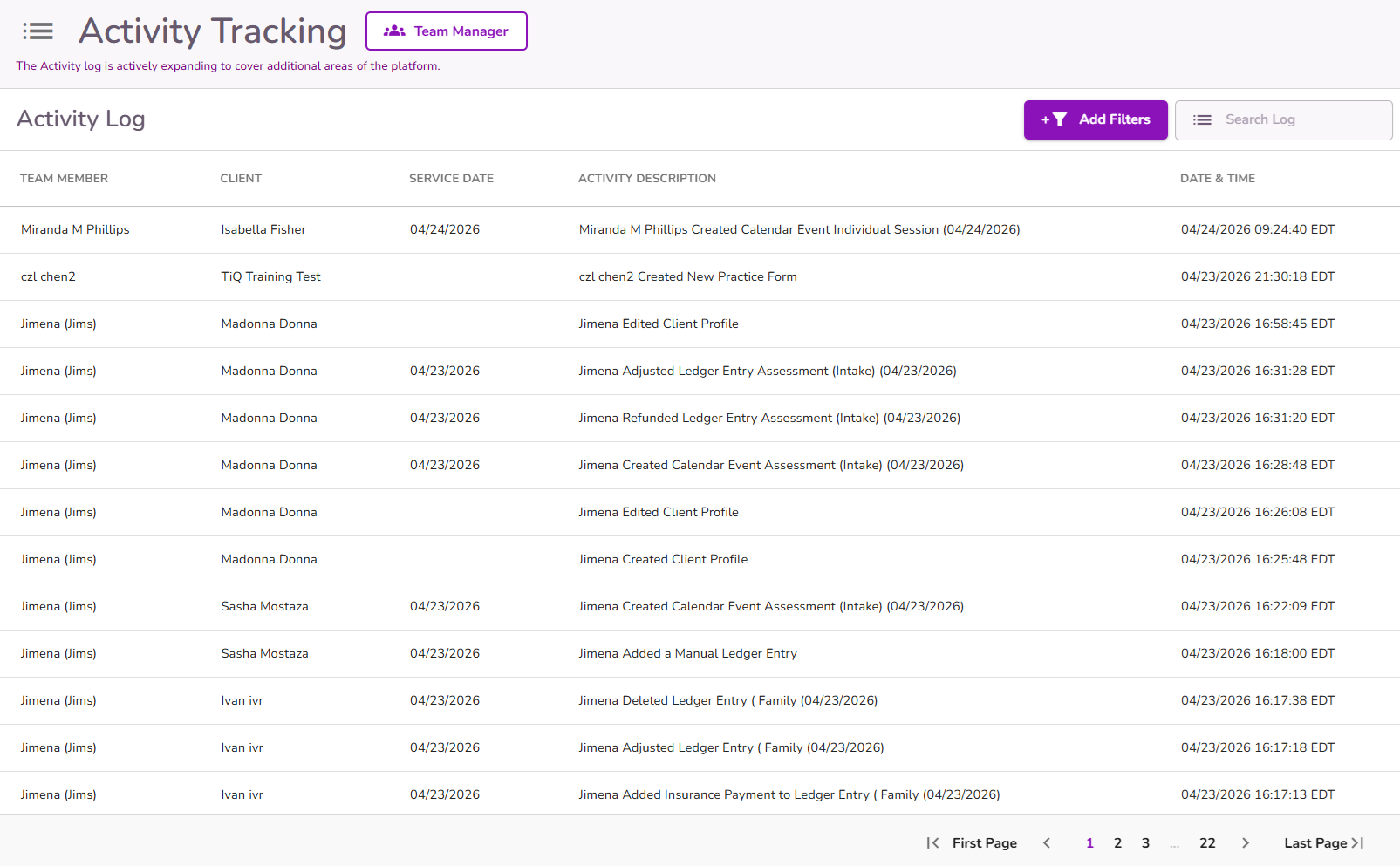
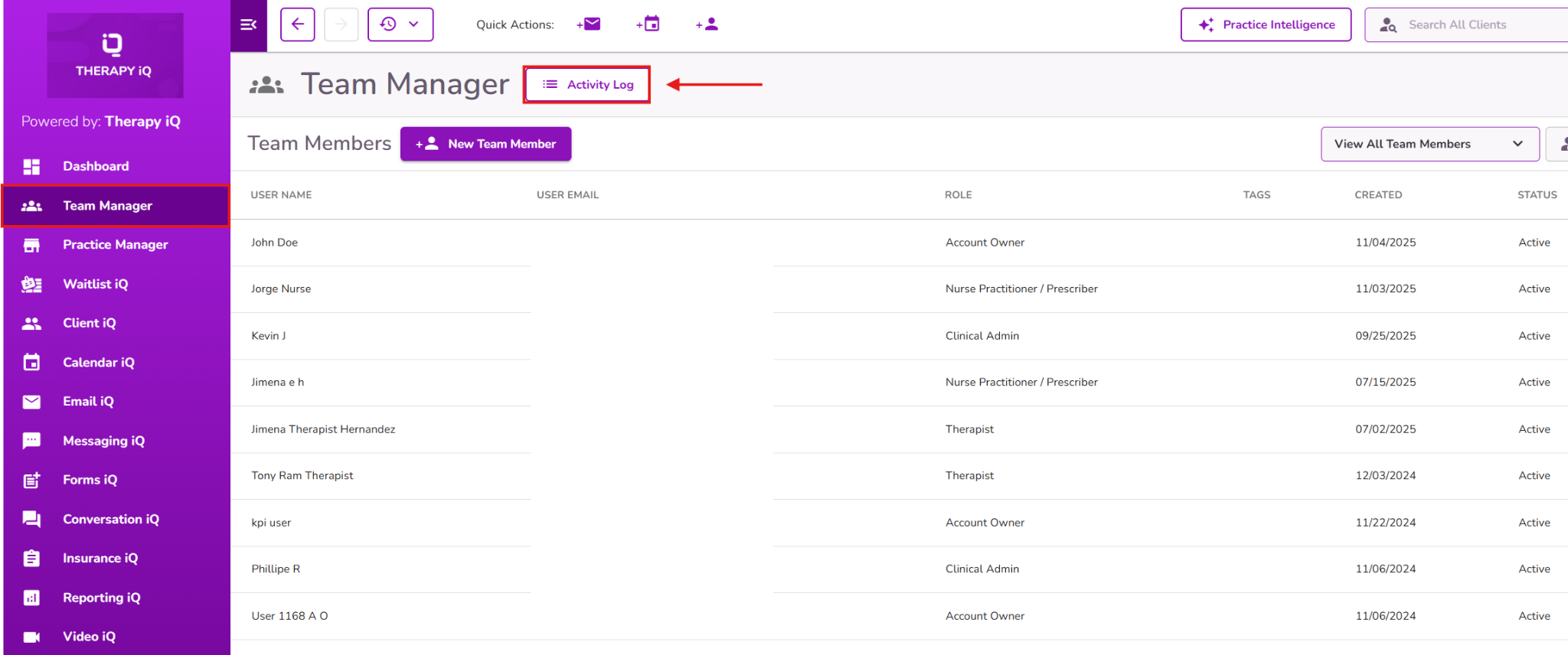
You can access the Activity Log by navigating to: Team Manager > Activity Log (button at the top of the page).
Information Displayed
You will find the following columns to view logs:
- Team Member: Displays the name of the provider who performed the action.
- Client: Displays the client associated with the form.
- Service Date: Displays the event’s date of service when the action is associated with an event.
- Activity Description: Shows the name of the provider, action, the form type and the date of the related event.
- Example:
John Doe Edited Progress Note (01/05/2026)
- Example:
- Date & Time: Displays the exact date and time the action occurred.
- Note: Entries are shown in your Practice Time Zone. If no practice time zone is configured, the system will display times in UTC.

It includes a "Add Filters" option that allows users to narrow down their search results based on the selected filters.

Users will be able to filter using the following options:
- Client Name
- Provider Name
- Activity Type
- Activity Date

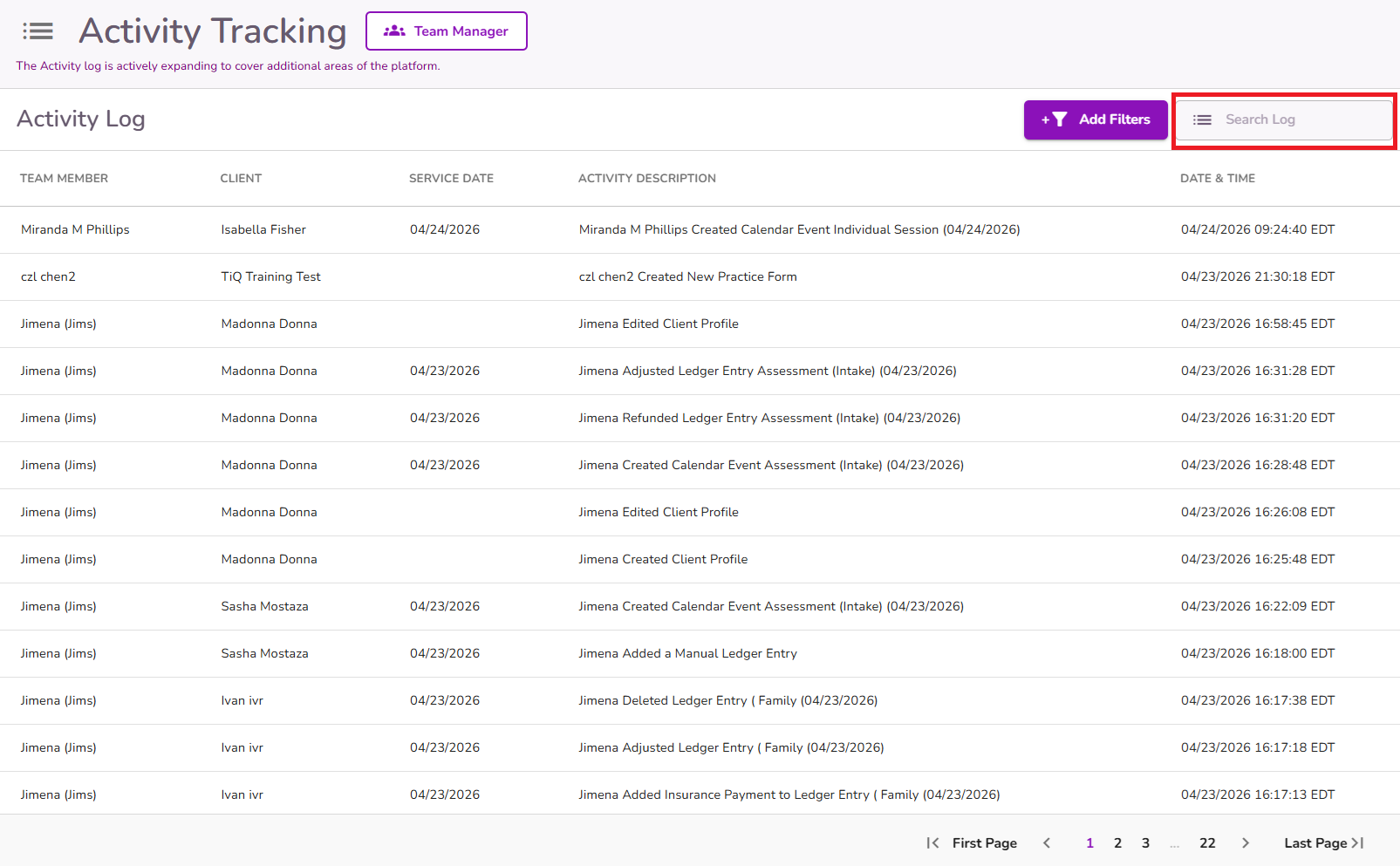
This page includes a search bar that lets you find results by provider name, client name, and activity description.
What the Activity Log Tracks
The Activity Log records provider actions across different areas of the system. Below are the currently supported areas:
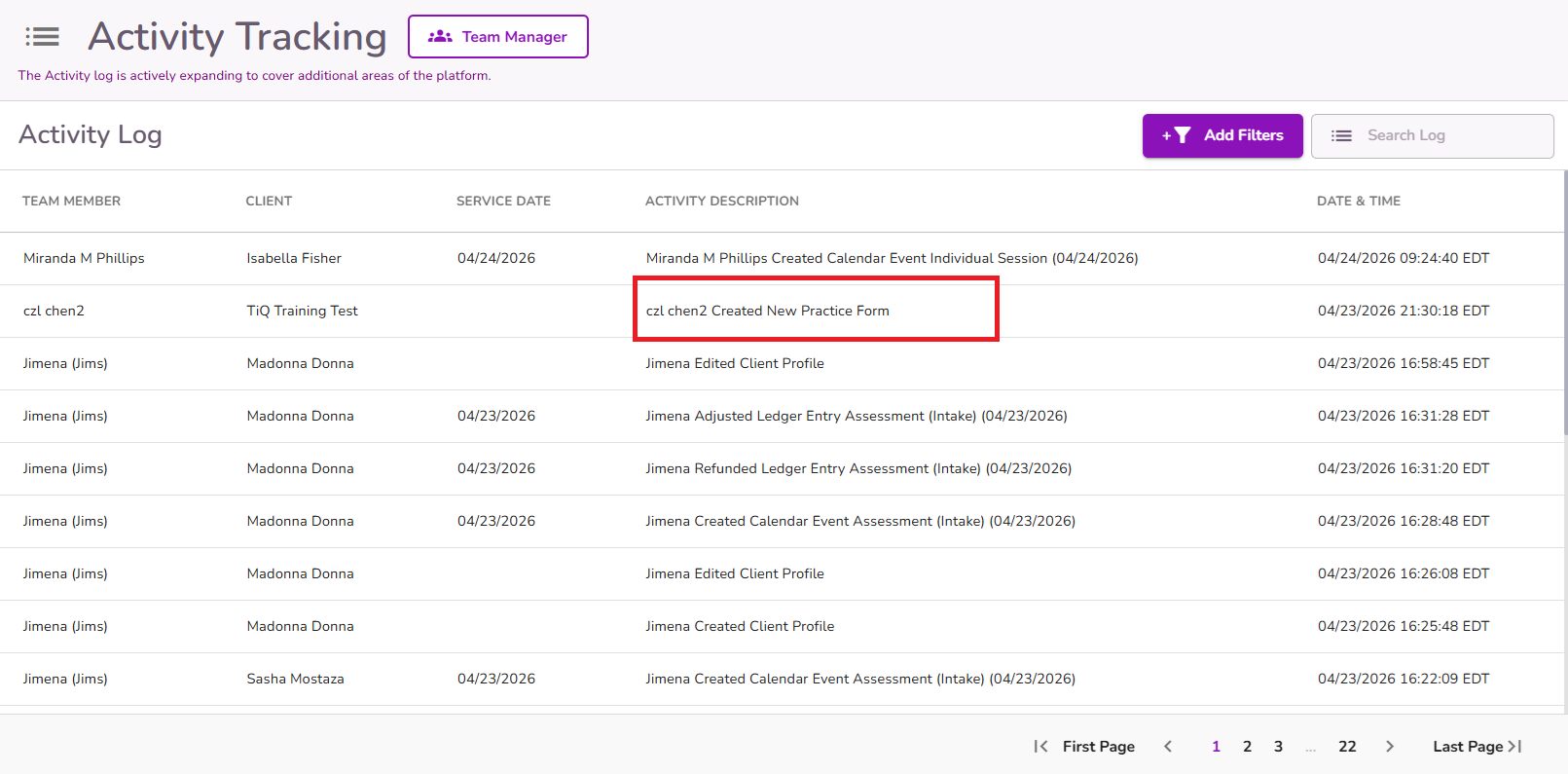
Forms
Tracks actions related to client forms only.
Supported actions include:
- Created – When a form is started and submitted
- Edited / Amended – When a form is updated and resubmitted
- Deleted – When a form is deleted
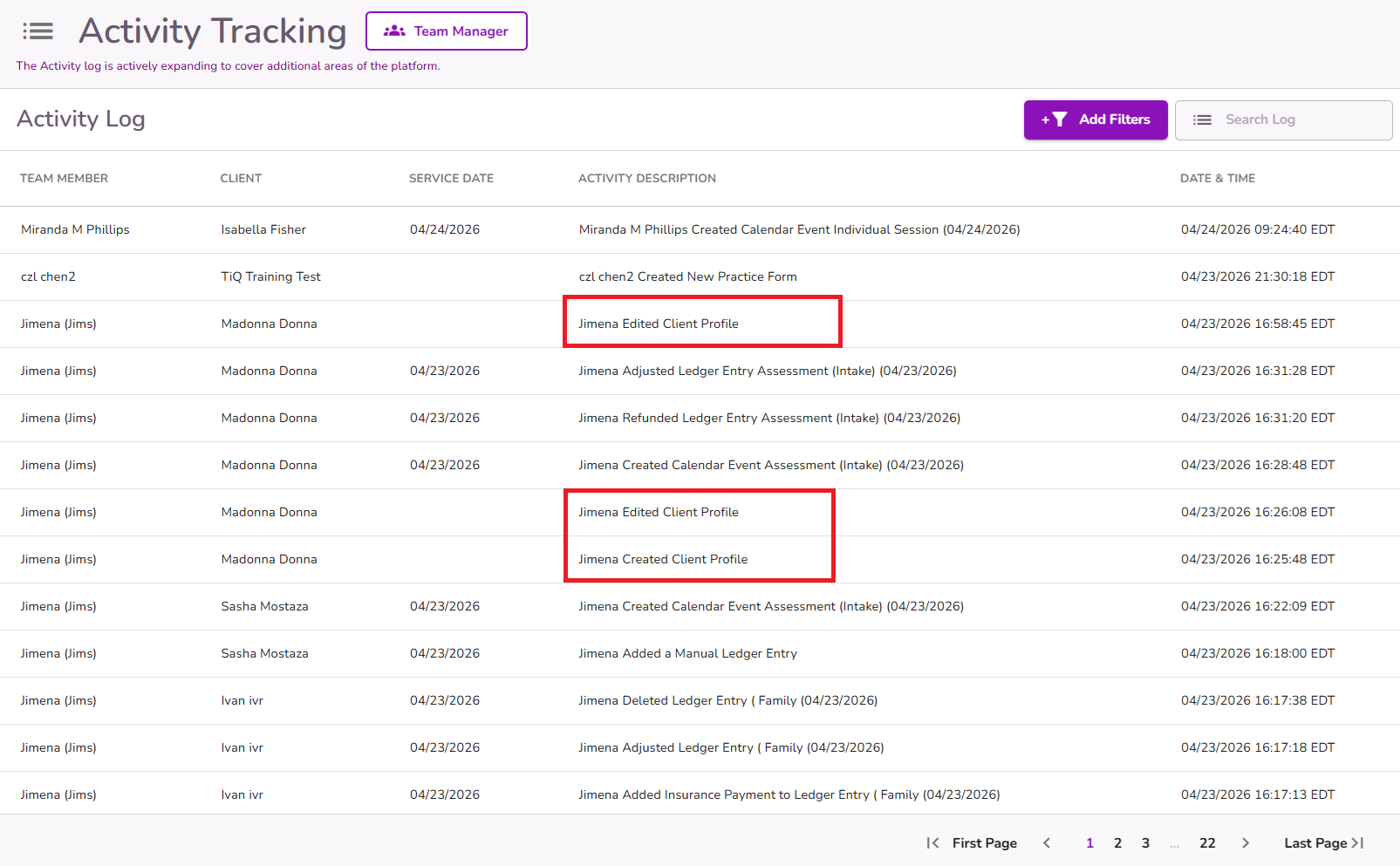
Client Profiles
Tracks actions related to client records.
Supported actions include:
- Created – When a new client profile is created
- Edited – When client profile information is updated
- Deleted – When a client profile is deleted
Calendar Actions
Tracks provider actions related to Calendar iQ.
Supported Calendar actions include:
- Create Event
- Edit Event
- Delete Event

Ledger Actions
Tracks provider actions within the Ledger.
Supported Ledger actions include:
- Adjust
- Refund
- Settle
- Add Insurance Payment
- Delete
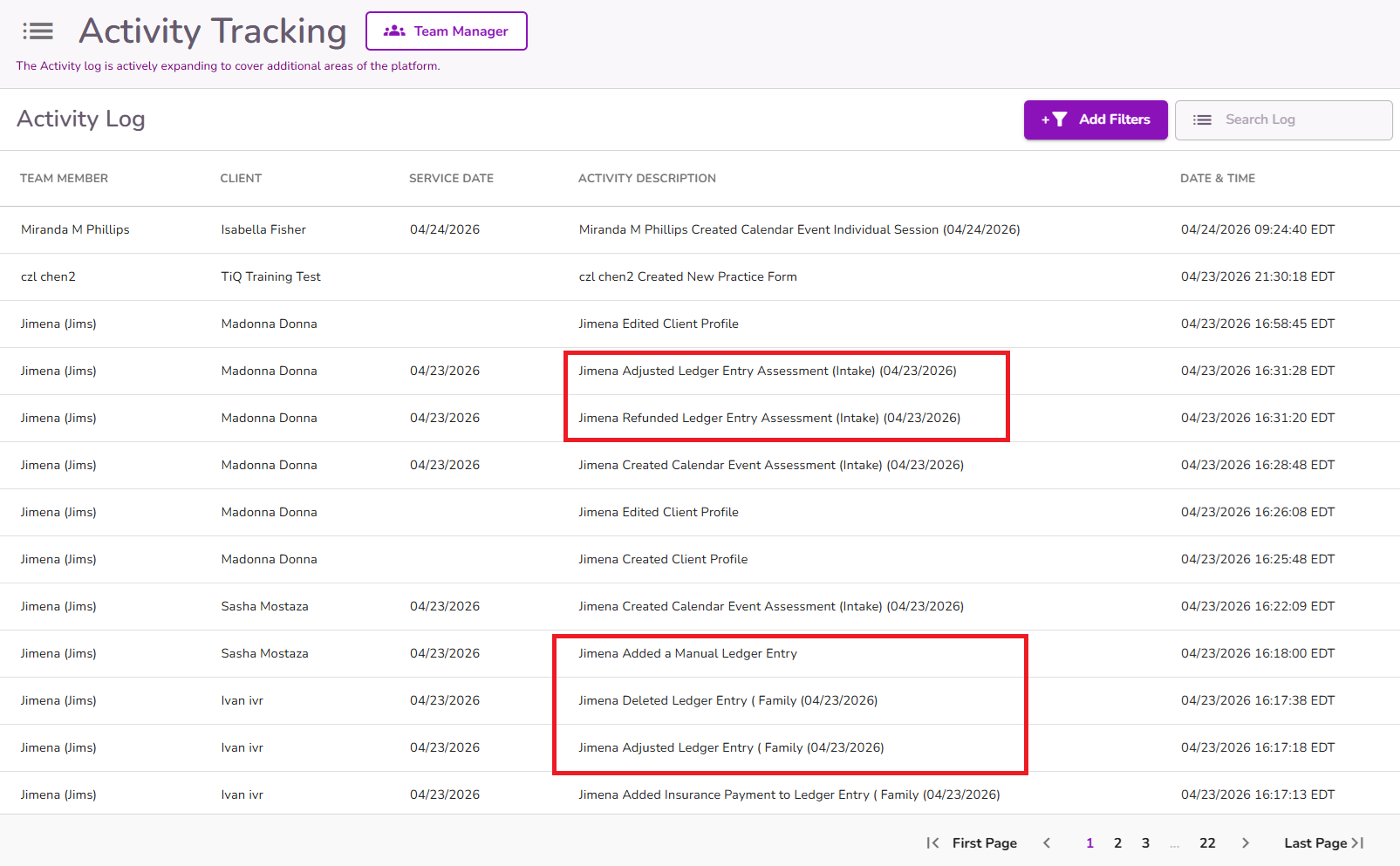
It also tracks ledger actions such as:
- Manual Ledger Entry
- Batch Payment
- Move to Client Credit
- Reverse Client Credit
Important: In order to access the Activity Log you may need to have Manage Team Members permission enabled. If you do not see the Activity Log, please contact your Practice Administrator to review your permissions.


