Features That Make Filling Out a Progress Note Easy in Therapy iQ
Therapy iQ makes progress note documentation faster and easier with features that automatically populate key details and reduce manual entry. This guide highlights the tools that save you time and improve accuracy.
Auto-Populated Fields
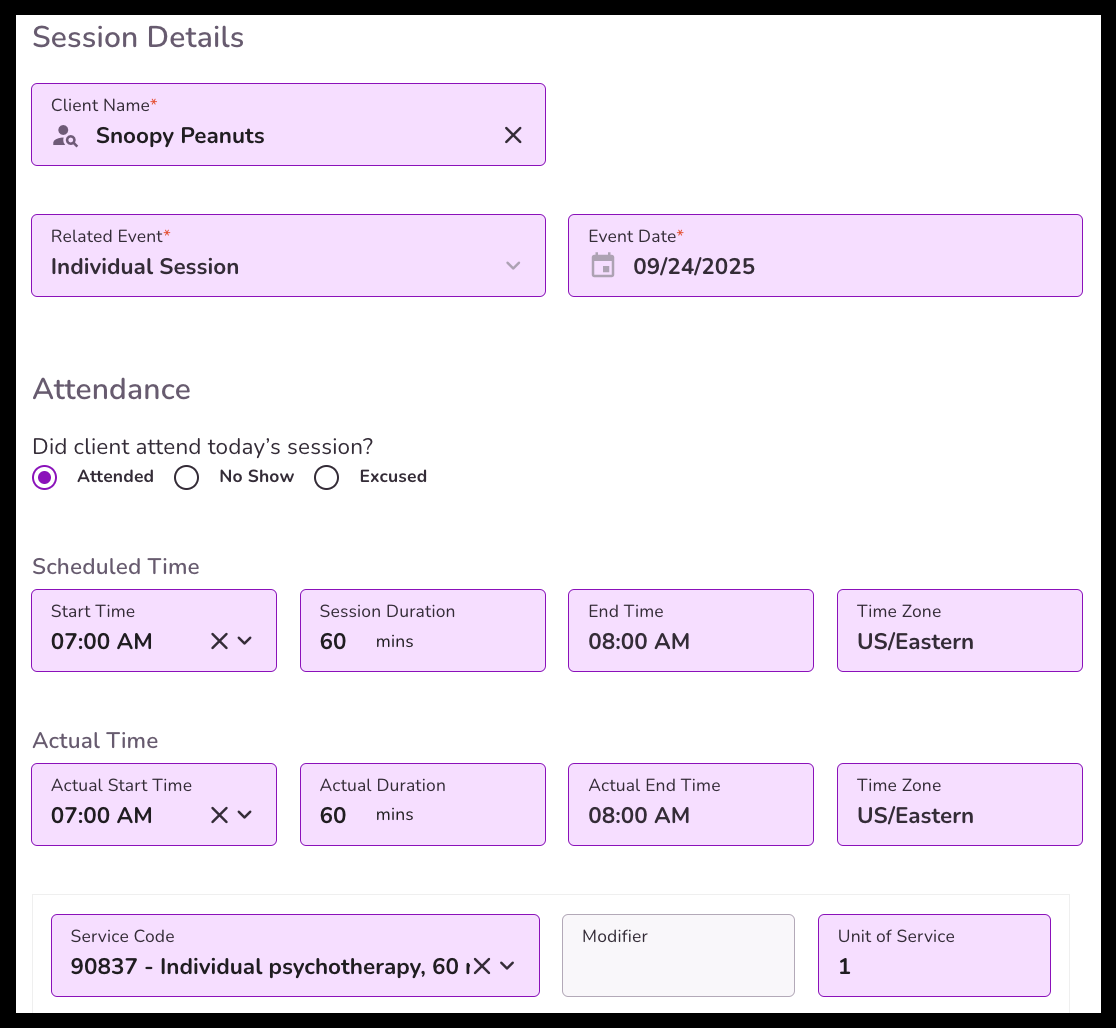
When you start a Progress Note from the event, TiQ automatically fills in available information from the client’s record or the scheduled appointment. This reduces manual entry and helps ensure consistency.
Fields that auto-populate include:
- Client Name – pulled directly from the scheduled appointment
- Related Event – linked to the appointment
- Event Date – scheduled date of the session
- Attendance – automatically marked if taken prior to starting the note
- Scheduled & Actual Time – both times populate for accurate records
- Service Code & Place of Service – reduces billing entry errors
- Diagnostic Codes – automatically added if assigned to the client
- Clinical Notes, Detailed Visit Summary, Assessment of Client’s Response, Plan/Recommendations – previously recorded details carry forward
Auto Fill Previous Note
If a Progress Note of the same type was previously submitted, you can carry over that information into your new note:
- Click “Auto Fill Previous Note.”
- The completed fields from the last note will populate into the current one.
- Review and edit the content as needed for accuracy.
This feature is especially useful for ongoing treatment plans and recurring session notes.
Note: The Auto Fill Previous Note option will automatically pull information from the last note completed by the same provider selecting this option.

Speech-to-Text for Narrative Sections
You can dictate narrative portions of your Progress Note instead of typing:
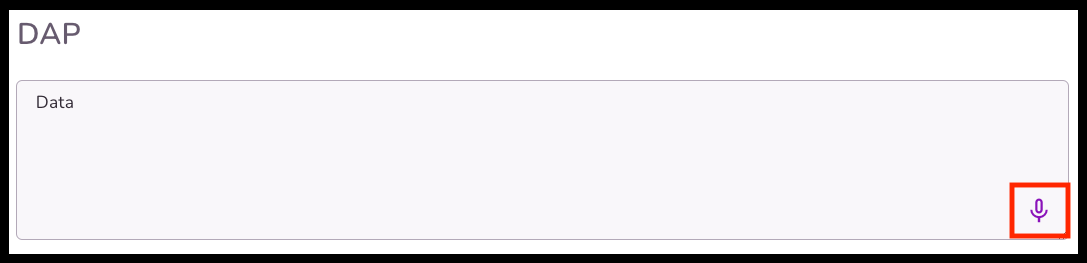
- Click the microphone icon in narrative fields.
- Speak clearly, and the system converts your speech to text in real time.
This speeds up documentation and reduces typing, especially for longer notes.
Transcribe iQ Summaries
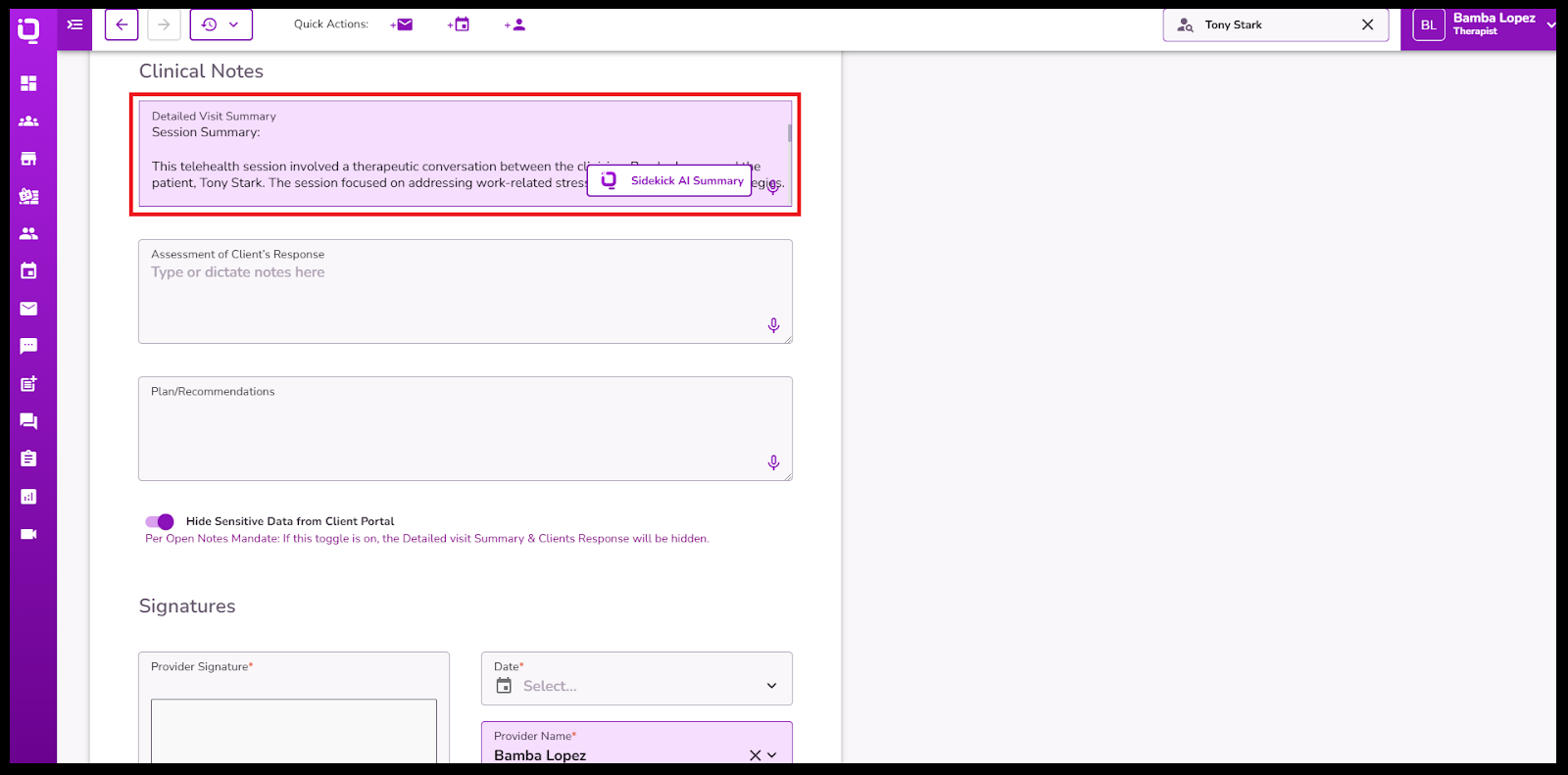
Transcribe iQ uses AI to generate a summary of your session automatically:
- Works for both telehealth and in-person sessions.
- Captures the session transcript in the background once enabled.
- Automatically creates a summary when you start your Progress Note.
- You can review and edit the AI summary before saving it.
This feature is ideal for quickly creating high-quality, detailed notes with less manual writing.
AI Form Filling
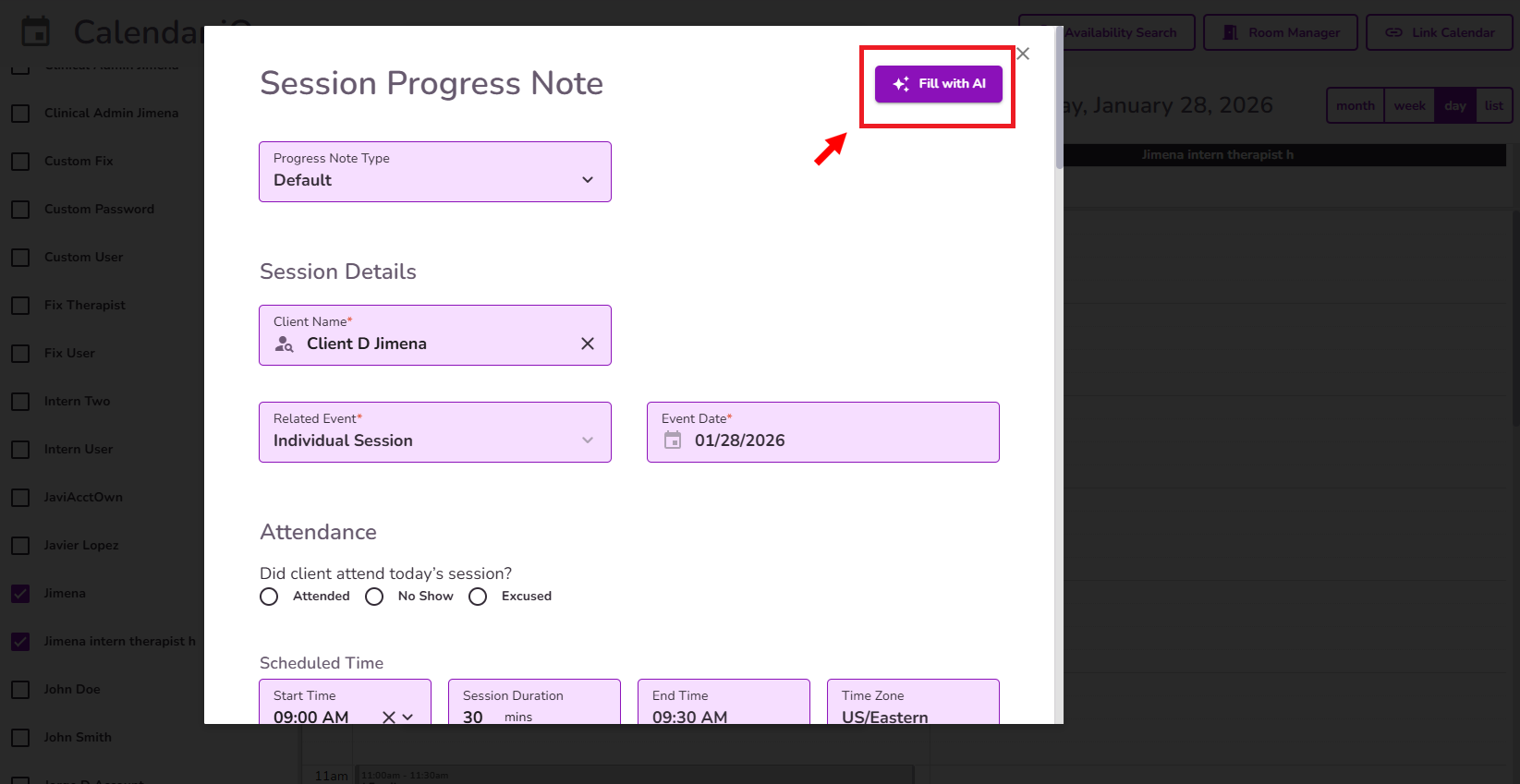
Transcribe iQ can also help you complete your progress notes in full. Click here to learn more about it!
Pro Tips
- Review auto filled fields before submitting your note to ensure accuracy.
- Use speech-to-text in a quiet environment for the best results.
- Double-check Transcribe iQ summaries to make sure they reflect your clinical impressions accurately.
Using these features together can significantly cut your documentation time while improving accuracy and consistency. Explore each tool to see how it best fits your workflow.


