Enable AutoPay For Your Practice
AutoPay allows the system to automatically run payments for open invoices at a specfic time. In this guide, we will show you how to enable AutoPay for your practice.
Navigate to Practice Manager.

Go to the Billing & Payment tab. You'll see the AutoPay toggle.
NOTE: By default, this toggle would be off.
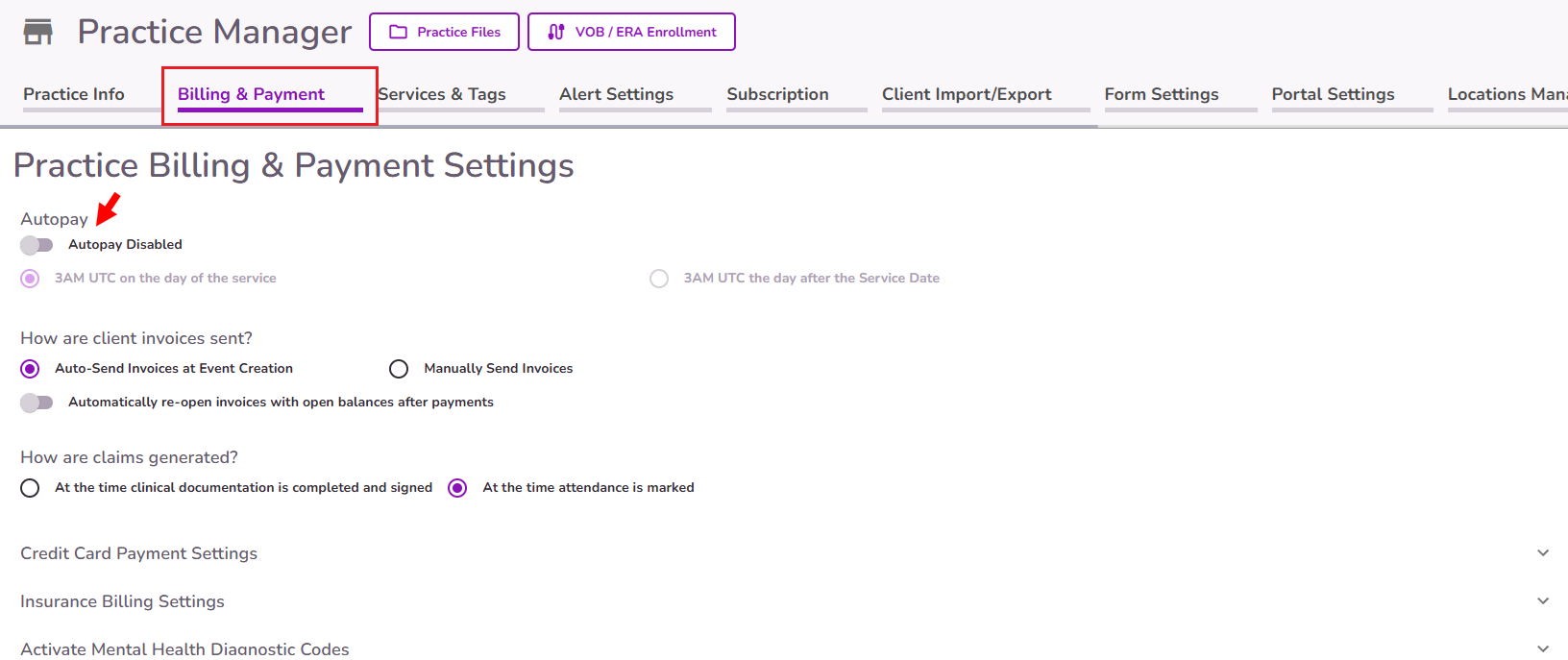
To activate the AutoPay feature, turn on the toggle and select when would you like AutoPay to run automatic payments. Select Submit at the bottom to save the changes.

IMPORTANT: Activating AutoPay in Practice Manager doesn't automatically enable it for all your clients. You must also enable AutoPay individually for each client you want to collect payments from automatically. Click here to learn how to enable AutoPay for specific clients.
Please keep in mind:
- Payment method required: Clients must have a payment method on file for AutoPay to collect payments automatically.
- Automatic payments start when AutoPay is enabled: AutoPay will automatically collect eligible payments from that point forward.
- Existing open invoices: Payments for open invoices generated before AutoPay was enabled must be collected manually.


